Texture pack review
X Crosshair
X Crosshair latest build for Minecraft 26.2
This simple resource pack replaces the default plus sign crosshair with a sleek X design, perfect for PVP and better visibility.
Overview
In-depth
X Crosshair is a focused resource pack that swaps the default plus sign crosshair for a clean X shape, aimed at players who want a smaller, sharper aiming reticle during PvP encounters. The author, bananegod, keeps this pack minimal by changing only the crosshair graphic, so it drops into most setups without altering terrain, mobs, or GUI elements. That makes it easy to pair with performance packs, shaders, or PvP suites while keeping your visual clutter to a minimum.
The X Crosshair design improves sightlines in busy combat situations, because the diagonal lines meet at a single point that helps align quick shots and block hits. You will notice the difference most when tracking fast strafing opponents, or when lining up headshots in ranged duels. Because the pack only touches the crosshair asset, it generally avoids conflicts with other visual modifications and can be layered with custom HUD packs if you prefer additional information on screen.
Installation is straightforward for both vanilla and modded Minecraft, and the pack does not require complex configuration to use. For players who use several texture packs, the small footprint of X Crosshair means less swapping and fewer compatibility checks. If you want variations, community forks and server-side alternatives often appear, but this version keeps the original intent intact: a no-frills, precision minded crosshair replacement. You can browse more texture packs on TexturesPack to combine X Crosshair with complementary content.
If you value clarity during combat and prefer a reticle that centers attention at a single point rather than a surrounding plus, X Crosshair is a sensible option. It does not change color schemes automatically, so pair it with your preferred HUD color settings or client presets for best visibility. For other PvP oriented packs see the pvp category on TexturesPack, where you can find similar performance oriented textures and crosshair alternatives.
Quick note
The pack is intentionally simple, so expect a single file swap rather than a full visual overhaul. That simplicity is its strength for competitive players who want fewer distractions and consistent aiming feedback across matches.
Gallery
Screenshots
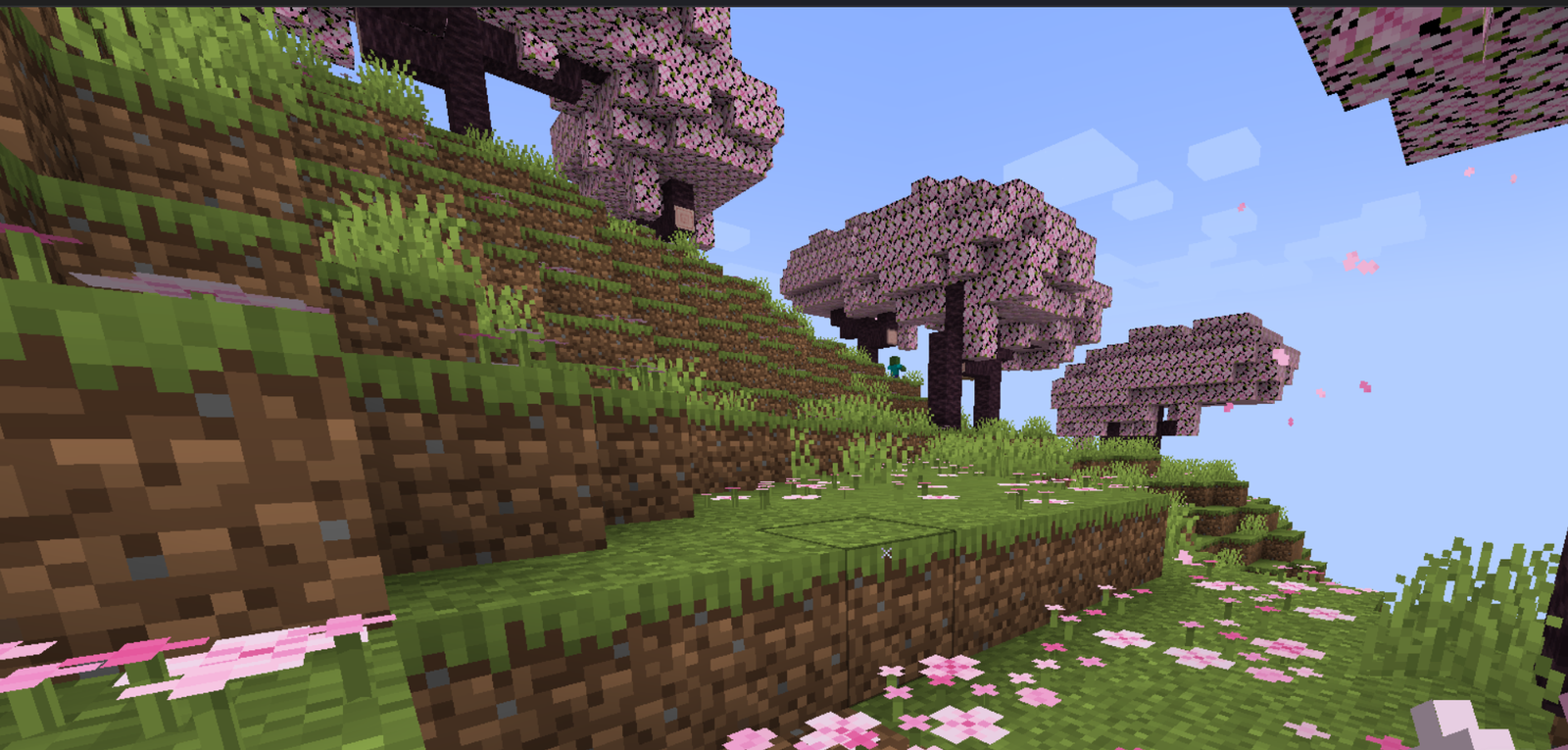
X Crosshair in game, captured across biomes and lighting conditions.
What you get
Why X Crosshair?
Improved Aim Focus
The X shape converges on a single point, helping you line up hits faster during close combat and ranged exchanges.
Minimal Footprint
Only the crosshair graphic is replaced, which reduces conflicts with other texture packs and keeps installation simple.
Clear Visibility
Diagonal lines cut through busy backgrounds, making the reticle easier to see against particle effects and bright environments.
PvP Oriented
Design choices favor quick target acquisition and precision, matching common needs of competitive and practice sessions.
Easy Pairing
Works well alongside HUD packs, performance textures, and shaders since it touches a single asset only.
Low Maintenance
Simple asset replacement means fewer updates are needed and less troubleshooting across Minecraft versions.
Downloads
Get X Crosshair
The 1 most recent X Crosshair builds, direct mirror links, no ad redirects.
Install
How to install X Crosshair
Vanilla route
- 1Download the X Crosshair zip from the pack page on TexturesPack.
- 2Open Minecraft, select Options, then Resource Packs from the main menu.
- 3Click Open Pack Folder and move the downloaded zip into that folder.
- 4Back in Minecraft, hover over X Crosshair and click the arrow to enable it.
- 5Confirm the pack order and return to the world, then test the new crosshair.
Modded route (Vanilla)
- 1Install Fabric or Forge for your Minecraft version and launch once to create folders, Optifine optional.
- 2Place the X Crosshair zip into the resourcepacks folder inside your .minecraft directory.
- 3Start Minecraft with your mod loader profile, then open Options, Resource Packs, and enable it.
- 4Use Optifine if desired for additional crosshair color or transparency settings, it is optional.
◎ Compatibility
✓ Tested and confirmed working on Minecraft 26.2 and 26.1.2
We ran X Crosshair on Minecraft 26.2 and 26.1.2 even though the pack was not officially built for these versions. Texture packs typically stay compatible across nearby Minecraft releases, and this one runs as expected.
Troubleshooting
Common problems
Crosshair not showing
Ensure the zip is in the resourcepacks folder and enabled in Options, Resource Packs. Restart Minecraft if it still does not appear.
Old plus sign persists
Confirm no higher priority pack is overriding the crosshair, then move X Crosshair above others or disable conflicting packs temporarily.
Incorrect size or position
Some clients or mods apply scaling, check UI scale and HUD settings and disable any client crosshair overrides that may resize it.
Pack conflicts with custom HUDs
If a HUD pack replaces the crosshair, stack X Crosshair above that HUD or remove the HUD crosshair file to let this pack take effect.
FAQ
Frequently asked questions
Which Minecraft versions does X Crosshair support?+
The pack lists multiple supported versions but may not be officially rebuilt for every release. Texture packs generally remain compatible with nearby Minecraft versions even when they were not officially built for that release.
Will this pack affect performance?+
No, the change is a single small texture so it has negligible performance impact and should not alter frame rates.
Can I use X Crosshair on Bedrock Edition?+
This pack is designed for Java resource packs, and Bedrock uses a different format so it is not directly compatible.
Do I need Optifine to use the pack?+
Optifine is not required to use X Crosshair, but Optifine can provide extra crosshair color and transparency options if you want them.
Is there any risk to using this pack on servers?+
Using a client side resource pack like X Crosshair is generally safe and allowed, but check server rules since some servers restrict client-side HUD changes.
How do I fix mismatched crosshair after updating Minecraft?+
Re-enable the pack and check for a newer version from the author; texture packs often remain compatible across nearby Minecraft versions even if not updated specifically for the latest release.
Ready to install?