Texture pack review
When Dungeons Arise - Spacing Tweaks
When Dungeons Arise - Spacing Tweaks latest build for Minecraft 1.20.1
This pack adjusts how frequently and where When Dungeons Arise structures generate, giving players or modpack creators more control over exploration world-gen.
Overview
In-depth
When Dungeons Arise - Spacing Tweaks is a focused texture pack entry that changes how the When Dungeons Arise structures appear in the world, adjusting their spacing and distribution. This is not a full aesthetic overhaul, it is a practical tweak designed to influence exploration by altering spawn frequency and placement patterns so players encounter structures at different intervals. The pack reads as a targeted tool for world generation rather than a visual replacement, and it is useful for players who want more control without adding a large mod list.
The author, Aureljz, structures the changes to feel like light editorial control over the original When Dungeons Arise content, leaving visual assets largely untouched while concentrating on placement behavior and spawn density. Because the pack focuses on spacing, performance impact is minimal, but results depend on how your world generates structures when the pack is active. For further browsing of other texture packs and related tools visit our main collection at texture packs.
Installation is straightforward for standard clients, and modded setups can also apply the pack alongside common loaders. This type of spacing adjustment can pair well with adventure focused modpacks or world presets used for server play. For more themed entries similar to this one check the themed category on our site to compare approaches and find alternatives at themed texture packs.
Expect predictable behavior: the pack changes where and how often structures from When Dungeons Arise appear, but it does not add new textures or remodel existing assets. That makes it a lightweight option for anyone curating world generation. Keep in mind that some mappings between structure placement and existing terrain may vary per seed, so testing on a copy of your world is recommended before applying it to a main save.
Quick take
When Dungeons Arise - Spacing Tweaks is best for players and creators who want to tune exploration without disruptive visual changes, and for server hosts who prefer more predictable or sparse structure placement during play sessions.
Gallery
Screenshots
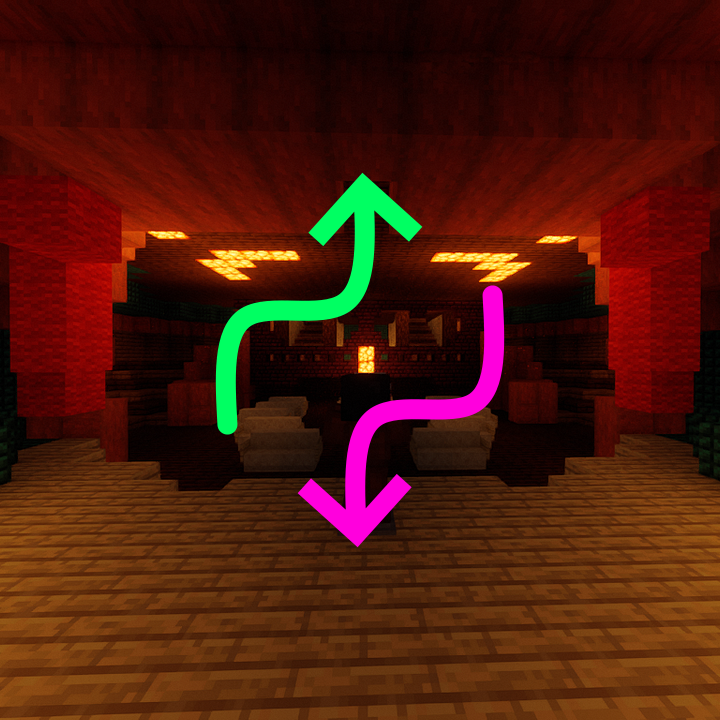
When Dungeons Arise - Spacing Tweaks in game, captured across biomes and lighting conditions.
What you get
Why When Dungeons Arise - Spacing Tweaks?
Greater Exploration Control
Adjusts structure frequency and placement to match your preferred exploration pace, reducing or increasing encounters without changing visuals.
Lightweight Changes
Modifies generation behavior only, so resource use is minimal and there is little to no impact on client performance.
Easy Compatibility
Designed to sit alongside existing packs and mods, it rarely conflicts with visual texture sets because it does not replace core assets.
Server Friendly
Helps server hosts tune world-gen for a group, making dungeons rarer or denser to shape gameplay pacing.
Useful for Modpacks
Provides pack authors with a simple lever to change exploration without editing complex world-gen scripts.
Low Learning Curve
Simple to apply and test, users can quickly gauge medium term effects by loading a few chunks or a test world.
Downloads
Get When Dungeons Arise - Spacing Tweaks
The 4 most recent When Dungeons Arise - Spacing Tweaks builds, direct mirror links, no ad redirects.
Install
How to install When Dungeons Arise - Spacing Tweaks
Vanilla route
- 1Download the pack file and place it into your Minecraft resourcepacks folder.
- 2Launch Minecraft and open Options, then Resource Packs to view available packs.
- 3Move When Dungeons Arise - Spacing Tweaks to the Selected list and confirm with Done.
- 4Reload your world or create a new world to apply spacing changes during generation.
- 5Test in a backup world first to confirm placement results before using on a main save.
Modded route (Vanilla)
- 1Install Fabric or Forge and any required resource loaders for your modpack first.
- 2Place the pack file into the resourcepacks folder used by your modded client.
- 3Optifine can be used but is optional, ensure it is compatible with your loader selection.
- 4Activate the pack in Options, Resource Packs, then reload or restart the client.
- 5Generate new chunks or a test world to see spacing changes take effect, server owners should restart the server.
◎ Compatibility
✓ Tested and confirmed working on Minecraft 1.20.1
We ran When Dungeons Arise - Spacing Tweaks on Minecraft 1.20.1 even though the pack was not officially built for this version. Texture packs typically stay compatible across nearby Minecraft releases, and this one runs as expected.
Troubleshooting
Common problems
No visible change after install
Ensure the pack is active in Options, Resource Packs, then reload or restart the world. Spacing changes only apply when new chunks generate, so test in a fresh world or new area.
Conflicts with another generation pack
Disable other world-generation or spacing packs to isolate the effect, then re-enable them one at a time to find conflicts and choose the desired pack.
Server still shows original spacing
Confirm the pack is installed and active on the server, then restart the server and generate new chunks; existing chunks will not retroactively change placement.
Unexpected structure clustering
Try different seeds or adjust pack priority with other resource packs, testing in a backup world until the distribution matches expectations.
FAQ
Frequently asked questions
What Minecraft versions does this pack support?+
The pack lists support for 1.20.1, 1.20, and 1.19.2. Texture packs generally remain compatible with nearby Minecraft versions even when they were not officially built for that release.
Will this pack affect performance?+
Because it only adjusts structure spacing and not textures, performance impact is usually negligible. Results can vary by client and world size, so test on your system.
Can I use this on Bedrock Edition?+
This type of pack targets Java resource pack mechanics, so it will not directly apply to Bedrock. Bedrock handles add-ons differently and may require conversion.
Do I need Optifine to use this pack?+
Optifine is not required for spacing adjustments, it is optional for visual or performance tweaks. The pack works without Optifine, but Optifine can coexist if desired.
Is it safe to use on a multiplayer server?+
Yes, but for consistent behavior install and activate the pack on the server and advise players to use the same resources. Always test on a backup to avoid unexpected effects.
How do I restore original spacing?+
Deactivate or remove the pack and restart the client or server. Note existing chunks already generated will not revert, so revert by loading a world copy or regenerating chunks.
Ready to install?