Texture pack review
Visual Traveler's Titles
Visual Traveler's Titles latest build for Minecraft 1.21.4
Visual Traveler's Titles replaces the standard text notification when entering a new dimension with unique, handmade logos. These custom graphics add a more polished and thematic feel to traveling between the Overworld, Nether, and End, alongside support for various tech and exploration mods.
Overview
In-depth
Visual Traveler's Titles replaces the default dimension entry text with handcrafted logo panels, giving each realm a clearer identity when you teleport or pass between dimensions. The pack by un_roman targets players who prefer a refined, thematic touch for the Overworld, Nether, and End notifications, and it also includes graphics for several tech and exploration mods where available. The effect is subtle, it does not alter gameplay elements, and it focuses strictly on presentation during travel events.
Themed and minimal, Visual Traveler's Titles concentrates on cohesive typography and simple emblem work rather than overly ornate art. That keeps the new title screens readable during fast transitions, and it blends with many other resource packs because it only replaces a narrow set of UI textures. You can browse other texture packs on the site via our main collection to find complementary packs that adjust blocks, mobs, or the general HUD.
Installation is straightforward for both unmodded and modded setups. For vanilla players, the pack is a single resource pack that usually goes into the resourcepacks folder, and it should appear in the in-game menu without additional launch options. Modded players can add it alongside texture loaders like Fabric or Forge; some mod loaders also let you order resource packs so Visual Traveler's Titles overrides or is overridden as needed. For modded support details, check the themed category to see other similar UI packs and compatibility notes.
Visually, the pack prioritizes clean line work, readable lettering, and color palettes that match each dimension. The Nether designs use warmer, muted tones while the End retains cooler, starker choices to maintain contrast with existing environments. Because the pack only touches title graphics, it tends to have minimal performance impact and plays well with shader and lighting setups, though you may want to test it with your chosen shader pack to confirm legibility under different lighting conditions.
Who should try this
Players who appreciate small, high-impact UI changes, server admins wanting a consistent travel aesthetic, and pack creators looking for a compact title-only resource are the main audience. The pack is especially convenient for those who run themed servers or modded exploration worlds and want a tiny polish to dimension transitions without altering other visual systems.
Gallery
Screenshots
Visual Traveler's Titles in game, captured across biomes and lighting conditions.
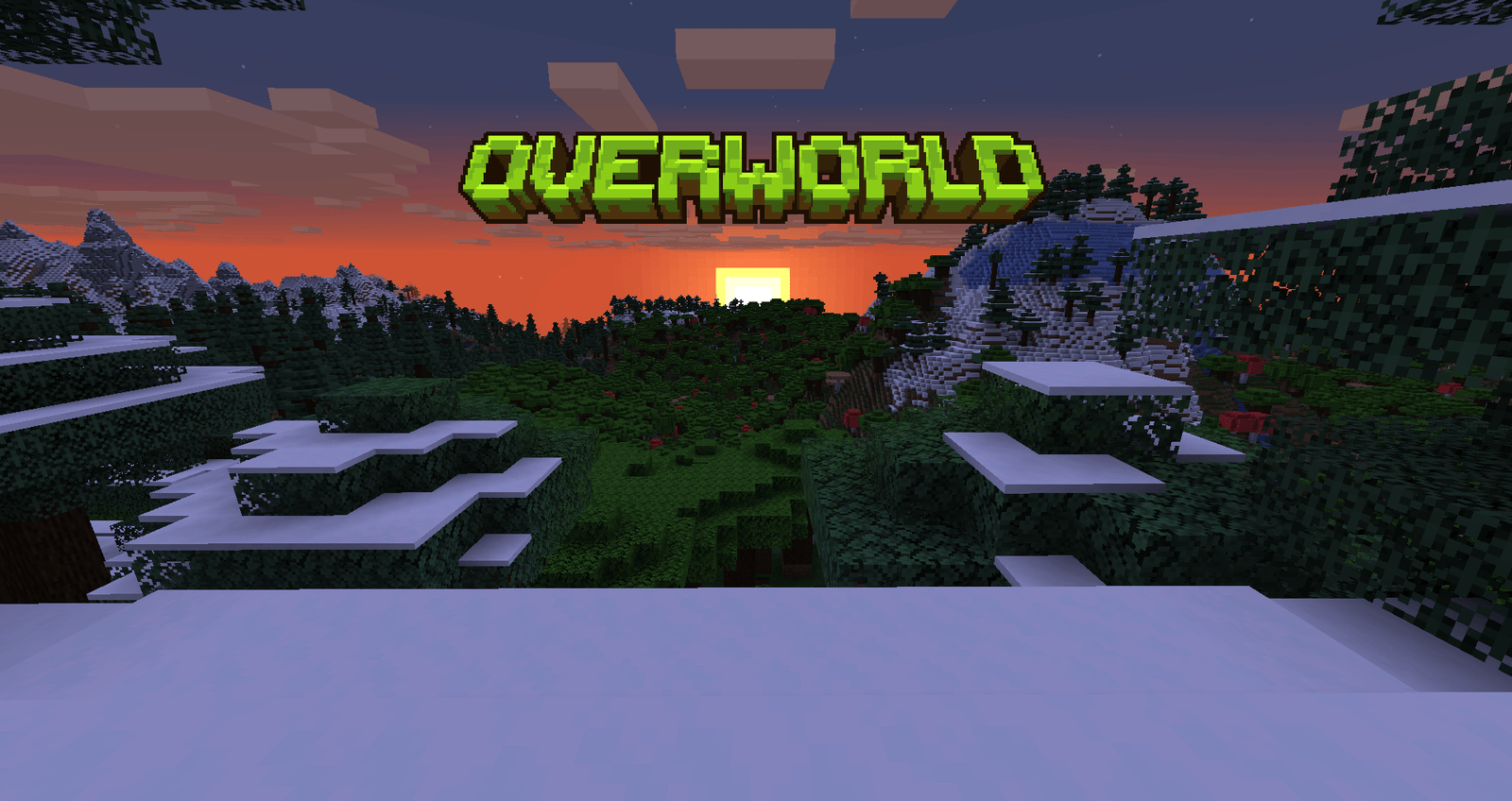
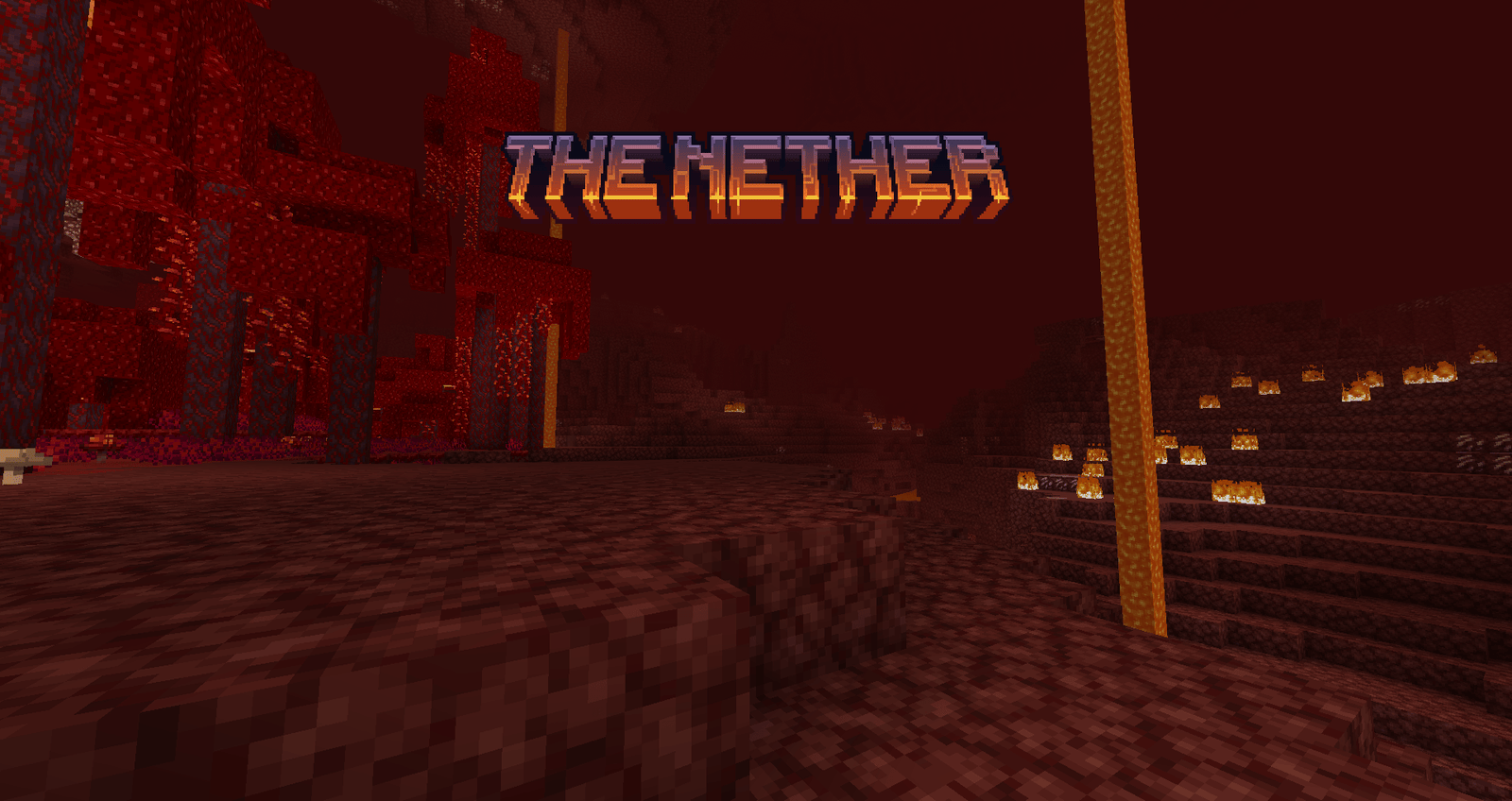
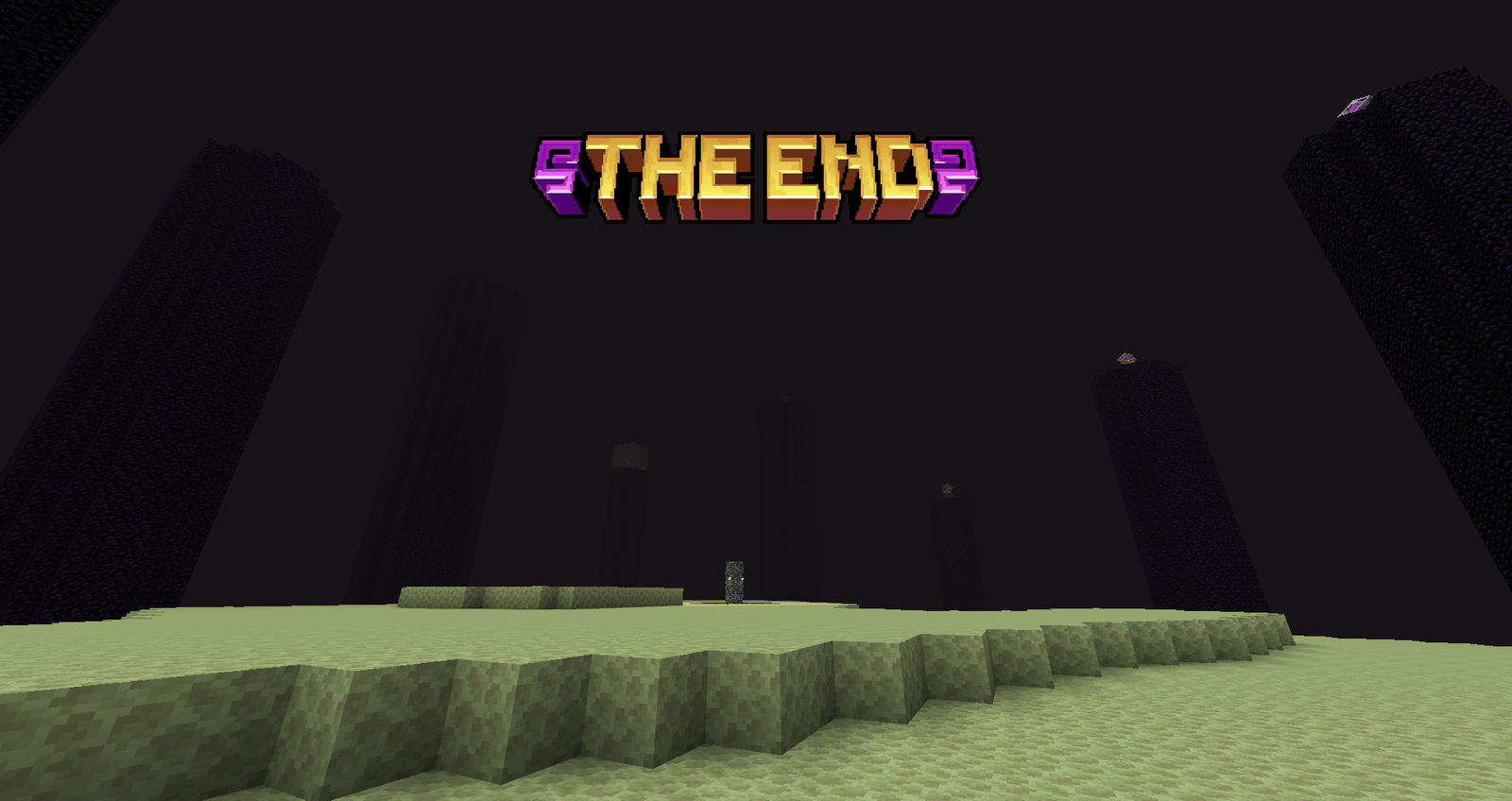
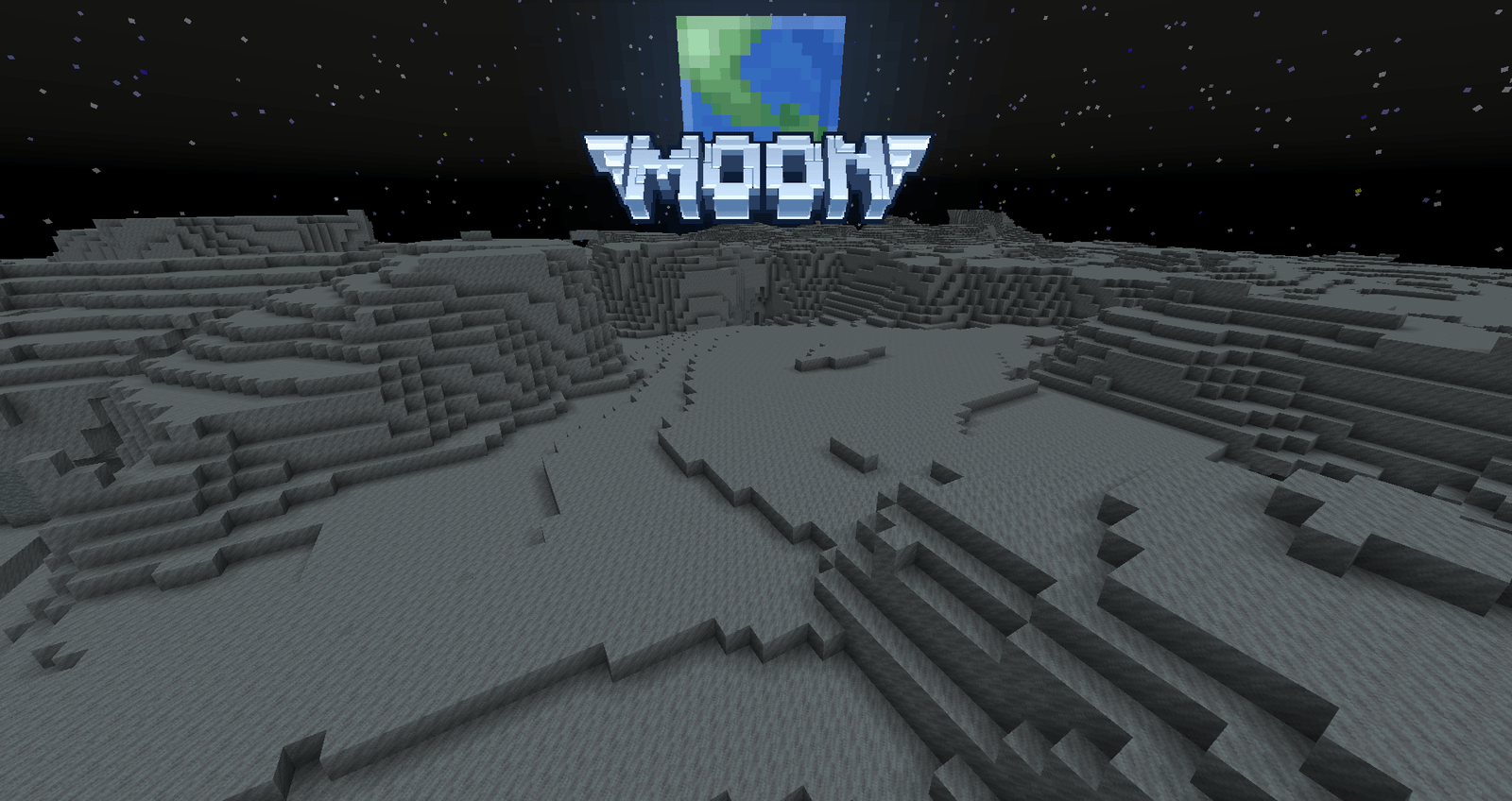
What you get
Why Visual Traveler's Titles?
Clear Dimension Labels
Custom logos replace the generic text, making it quicker to recognize where you arrived, especially during fast travel or portal hopping.
Minimal Performance Cost
Only a small set of UI textures are changed, so the pack has a very light footprint and is unlikely to affect frame rates.
Compatible with Other Packs
Because it alters a narrow asset set, you can layer this pack with broader visual or HD packs without much conflict.
Themed Consistency
Logos and palettes are designed to match each dimension, providing a coherent aesthetic when moving between realms.
Mod Support Included
The pack includes graphics for several tech and exploration mods, smoothing transitions for modded travel events.
Quick Visual Polish
A small change that improves presentation, useful for servers and single player worlds that want a refined travel UI.
Downloads
Get Visual Traveler's Titles
The 10 most recent Visual Traveler's Titles builds, direct mirror links, no ad redirects.
Install
How to install Visual Traveler's Titles
Vanilla route
- 1Download the Visual Traveler's Titles zip and place it in the resourcepacks folder.
- 2Start Minecraft and open Options, then Resource Packs to view available packs.
- 3Move the pack to the Selected list so it loads on next game start.
- 4Restart the game to ensure the new title textures appear during dimension travel.
Modded route (Vanilla)
- 1Install Fabric or Forge and optionally Optifine, then place the pack in the resourcepacks folder.
- 2Launch Minecraft with your chosen loader and open Options, then Resource Packs.
- 3Ensure Visual Traveler's Titles is selected and order it relative to other packs as needed.
- 4Restart the modded client to confirm mod-specific title textures display correctly.
◎ Compatibility
✓ Tested and confirmed working on Minecraft 1.21.4
We ran Visual Traveler's Titles on Minecraft 1.21.4 even though the pack was not officially built for this version. Texture packs typically stay compatible across nearby Minecraft releases, and this one runs as expected.
Troubleshooting
Common problems
Titles not showing
Confirm the pack is enabled in the Resource Packs menu and that no higher priority pack overrides the same UI textures.
Logos look washed out with shaders
Test without shaders or adjust shader contrast settings, because lighting effects can alter the perceived colors of UI textures.
Mod-specific titles missing
Verify you are running the mod that supplies the travel event, and ensure the pack supports that specific mod's resource location.
Pack does not appear in menu
Check that the zip file structure is correct with a pack.mcmeta at the root, and that the file was placed in the resourcepacks folder.
FAQ
Frequently asked questions
Which Minecraft versions does Visual Traveler's Titles support?+
The pack lists support for multiple 1.16 through 1.21.x builds. Texture packs generally remain compatible with nearby Minecraft versions even when they were not officially built for that release, but always test in your specific version.
Will Visual Traveler's Titles affect game performance?+
No significant impact is expected, because the pack only replaces a small set of UI textures. If you run many heavy mods or shaders, test performance with the pack enabled.
Can I use this pack on Bedrock Edition?+
This pack is designed for Java resource packs and likely will not work with Bedrock without conversion tools and manual adjustments.
Do I need Optifine to use the pack?+
Optifine is not required for Visual Traveler's Titles to work, but Optifine or similar tools can help manage resource loading and shader compatibility if you use them.
Is there any risk using this pack on a server?+
Resource packs that only change client-side textures carry little risk to server play; the server can request or require a pack, but the changes remain visual for each player.
What should I do if a title looks misaligned?+
Make sure no other pack is overriding the same UI files and try toggling the pack order. If alignment still fails, try a clean resourcepacks folder to isolate the issue.
Ready to install?