Texture pack review
Unique Dark
Unique Dark 16x, latest build for Minecraft 26.2
Unique Dark provides a sleek dark mode for Minecraft menus and functional blocks, supporting dozens of popular mods at a 16x resolution.
Overview
In-depth
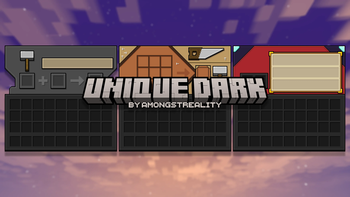
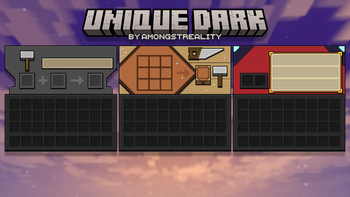
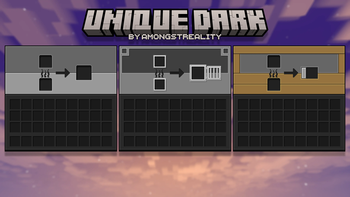
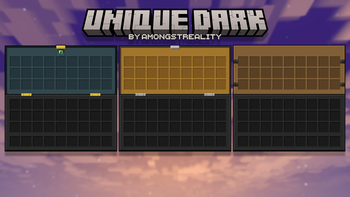
Unique Dark gives Minecraft a focused dark theme that keeps textures readable while lowering visual noise. This 16x pack emphasizes menus, UI elements, and functional blocks, which makes it practical for long play sessions and for players who prefer a subdued palette. The author amongstreality aims for clarity over ornamentation, so you will not find heavy stylization or high definition reworks here, just consistent, darker variants of default assets.
The pack works with Minecraft Vanilla and lists a long range of supported versions. That breadth suggests steady maintenance, and the visuals remain familiar to anyone used to the default textures. If you want to browse more packs with similar utility driven goals, visit our main collection page to compare options.
Unique Dark also attempts compatibility with many common mods while keeping the 16x resolution intact, so modded blocks and machines tend to blend in rather than stand out. Mod support is practical rather than exhaustive, so some niche addons may fall back to default textures. You can check the category for other gameplay oriented packs that share the same design philosophy and resolution.
Performance is generally light because this is a 16x pack, which makes it suitable for lower end hardware and for players who use many mods. Since it leans on darker tones, visibility in caves and dim areas can change the feel of exploration, so you may want to tweak brightness and gamma to match your preference. The pack is straightforward to install for Vanilla clients, and should work fine with resource pack managers and launchers that handle standard pack formats.
Who should try Unique Dark
Choose this pack if you want a low overhead, dark themed alternative to the default look, especially for gameplay focused sessions where clarity and UI consistency matter more than decorative detail. It is a practical, no frills option for players who like subdued visuals and broad version coverage.
Gallery
Screenshots
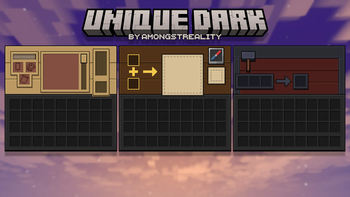
Unique Dark in game, captured across biomes and lighting conditions.
What you get
Why Unique Dark?
Reduced Visual Noise
Darker tones simplify on-screen details, making it easier to focus on gameplay without distracting highlights or excessive color variance.
Low Performance Cost
At 16x resolution the textures are lightweight, so frame rates stay high and the pack is suitable for modest hardware setups.
Consistent UI Theme
Menus and HUD elements share the same dark styling, which produces a more cohesive interface across inventory and screens.
Mod Compatibility Focus
The author accounts for many popular mods, so modded blocks usually match the pack aesthetic without jarring transitions.
Familiar Gameplay Look
Textures retain default proportions and readability, so gameplay mechanics remain obvious while the color scheme changes.
Long Version Support
The pack lists many Minecraft versions, reducing friction when switching between older and newer client builds.
Downloads
Get Unique Dark
The 10 most recent Unique Dark builds, direct mirror links, no ad redirects.
Install
How to install Unique Dark
Vanilla route
- 1Download the Unique Dark zip from the pack page on your launcher or website.
- 2Open Minecraft, go to Options, then Resource Packs, and click Open Pack Folder.
- 3Move the downloaded Unique Dark zip file into the resourcepacks folder.
- 4Back in Minecraft, hover over the pack and click the arrow or checkbox to activate it.
Modded route (Minecraft Vanilla)
- 1Place the Unique Dark zip into the resourcepacks folder for your Fabric or Forge profile.
- 2Use Optifine if desired, it is optional and can improve performance and shading.
- 3Launch the game with your Fabric or Forge profile and confirm the pack is active in Resource Packs.
- 4If using a mod that requires custom assets, ensure the pack order places Unique Dark above mod-specific packs.
◎ Compatibility
✓ Tested and confirmed working on Minecraft 26.2 and 26.1.2
We ran Unique Dark on Minecraft 26.2 and 26.1.2 even though the pack was not officially built for these versions. Texture packs typically stay compatible across nearby Minecraft releases, and this one runs as expected.
Troubleshooting
Common problems
Dim lighting in caves
Increase in-game brightness or gamma settings by a small amount, which restores visibility without altering the pack itself.
A modded block looks default
Check whether the mod is supported; add a compatible mod-specific resource pack or report the missing texture to the author.
Pack not showing in launcher
Ensure the zip is placed in the active instance resourcepacks folder and that the file did not extract into a subfolder.
Minor HUD contrast issues
Adjust GUI scale or brightness to improve contrast, or enable Optifine features for finer control if you use Optifine.
FAQ
Frequently asked questions
Which Minecraft versions does Unique Dark support?+
The pack lists support for many 1.16 through 1.21 series versions. Texture packs generally remain compatible with nearby Minecraft versions even when they were not officially built for that release.
Will this pack hurt my FPS?+
No, at 16x resolution Unique Dark is light on resources and should not cause noticeable frame drops on modern systems.
Can I use Unique Dark on Bedrock Edition?+
This pack is designed for the Java resource pack format, so it will not work natively on Bedrock without conversion tools that may be required.
Do I need Optifine to run this texture pack?+
Optifine is not required, but it is optional and can provide improved performance and additional graphic controls if you choose to use it.
Is it safe to use on a multiplayer server?+
Using a resource pack client side is safe and common; servers may enforce their own packs, but client packs do not pose inherent risk to server stability.
What if a texture looks broken after installing?+
Reload the resource pack via the Resource Packs menu or press F3 plus T to reload assets. If issues persist, try removing conflicting packs.
Ready to install?