Texture pack review
Fresh Moves
Fresh Moves 16x, latest build for Minecraft 26.2
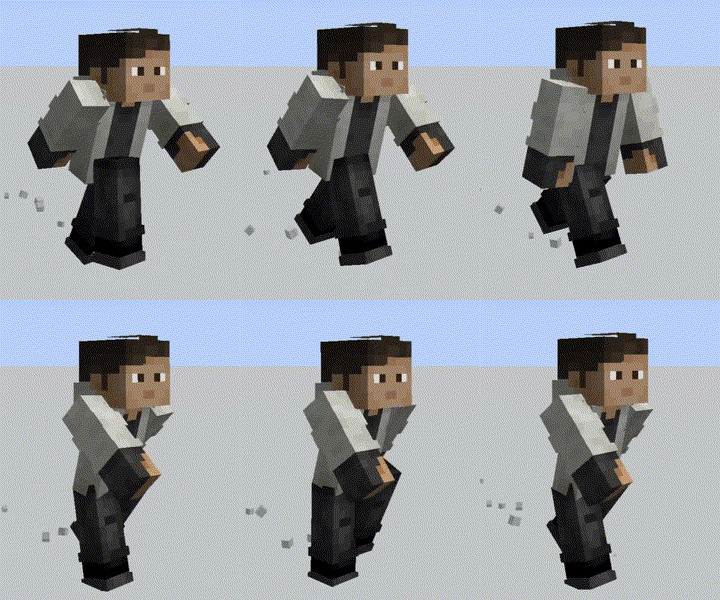
Fresh Moves is a resource pack that adds advanced player animations and facial features using Entity Model Features.
- Style
- Mod Support
- Platform
- Java
- Author
- IthanMendoza
- First release
- Mar 20, 2024
- Latest version verified
- 26.2
Overview
In-depth
Fresh Moves is a 16x resource pack focused on enhanced player animations and facial details, using Entity Model Features to add personality to characters. The pack does not change block textures dramatically, instead it concentrates on player models, hand and arm motion, and subtle facial expressions that play during common actions.
The author, IthanMendoza, designed Fresh Moves to work with standard Minecraft Vanilla, and it integrates cleanly with most modded setups that support the same entity model features. You can browse similar packs on our main collection page at TexturesPack browse for more options and comparisons.
At 16x resolution Fresh Moves keeps the game feeling familiar while adding expressive detail. Animations are visible in first person and third person, and facial features provide quick visual feedback for actions like sneaking, sprinting, and interacting with items. Because the pack focuses on entity features, it is compact and tends to avoid conflict with block and GUI focused packs.
Installation is straightforward for vanilla users, and the pack is reported to be usable alongside Fabric or Forge setups when those loaders support the same entity model features. For a categorized view of other mod-style packs check the mods category at mods texture packs. Fresh Moves is a practical choice for players who want livelier avatars without a full overhaul of the game's look.
Notes
Because Fresh Moves relies on entity model features, results can vary with other mods that alter models or animations. Test in a separate profile if you run many client-side mods, and keep backups of your resource pack folder to ease troubleshooting.
Gallery
Screenshots
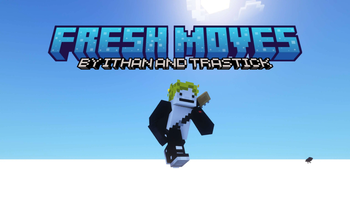
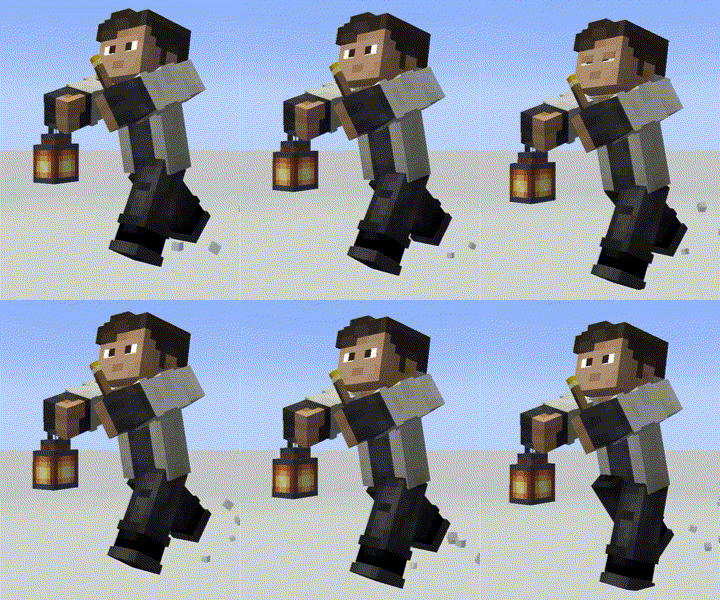
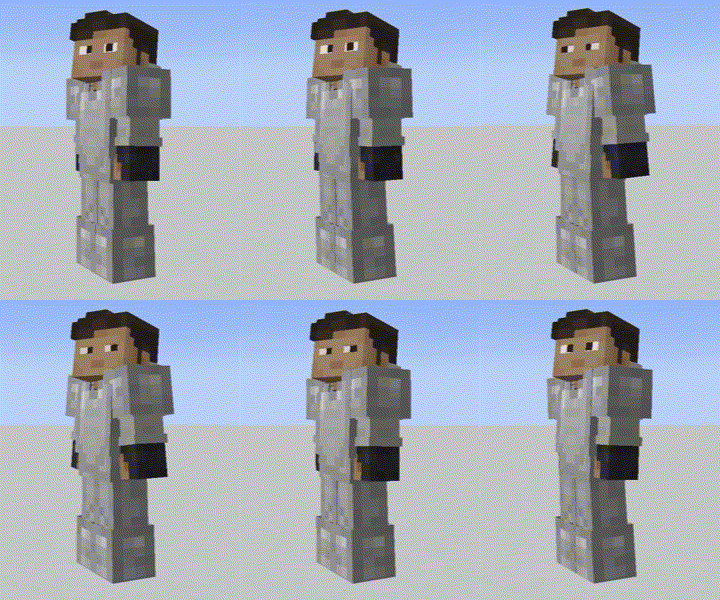
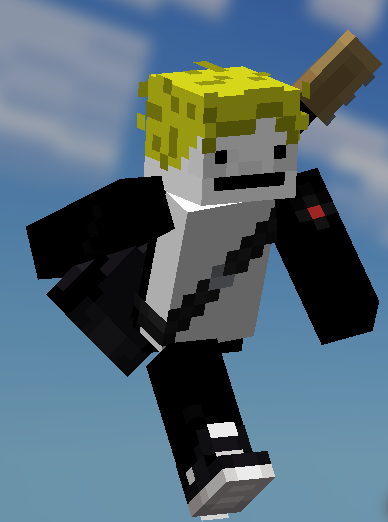
Fresh Moves in game, captured across biomes and lighting conditions.
What you get
Why Fresh Moves?
Enhanced Player Motion
Adds natural looking animations to player limbs and hands, making movement feel more dynamic during gameplay.
Facial Expressions
Subtle facial details give characters visible reactions for actions like sprinting, sneaking, and using items.
16x Performance Friendly
Low resolution keeps frame impact minimal while still delivering noticeable visual changes to player models.
Vanilla Compatible
Designed for standard Minecraft Vanilla, so it installs and runs without requiring heavy mod installations.
Compact Focus
Concentrates on entity features rather than blocks, reducing chances of texture conflicts with other packs.
Easy to Combine
Works well alongside many other packs that adjust blocks or GUIs, letting you mix and match visuals.
Downloads
Get Fresh Moves
The 10 most recent Fresh Moves builds, direct mirror links, no ad redirects.
Install
How to install Fresh Moves
Vanilla route
- 1Download the Fresh Moves pack file from the author or trusted site.
- 2Open Minecraft, go to Options then Resource Packs and click Open Pack Folder.
- 3Move the downloaded zip into the resourcepacks folder without extracting it.
- 4Back in Minecraft, hover over Fresh Moves in the Available list and click the arrow to enable it.
- 5Restart Minecraft if animations do not appear immediately after enabling the pack.
Modded route (Minecraft Vanilla)
- 1Ensure your Fabric or Forge instance supports entity model features, Optifine optional for shaders.
- 2Download the Fresh Moves zip and place it in the resourcepacks folder for that profile.
- 3Launch Minecraft with the chosen Fabric or Forge profile and enable the pack in Options, Resource Packs.
- 4Test in a separate profile if you have many mods to identify any model conflicts.
- 5Restart the client after changing mods or resource packs to ensure proper model loading.
◎ Compatibility
✓ Tested and confirmed working on Minecraft 26.2 and 26.1.2
We ran Fresh Moves on Minecraft 26.2 and 26.1.2 even though the pack was not officially built for these versions. Texture packs typically stay compatible across nearby Minecraft releases, and this one runs as expected.
Troubleshooting
Common problems
Animations not visible in first person
Toggle the pack off and on again, then restart Minecraft. Check for conflicting mods that change hand animations.
Facial features look broken with other mods
Disable other packs or mods that alter entity models, re-enable Fresh Moves alone, then add extras one at a time to isolate the conflict.
Pack not showing in resource pack list
Make sure the zip file is placed directly inside the resourcepacks folder and not inside another folder or archive.
Visual glitches after a version update
Remove the pack, launch the updated client, then re-add the pack. Keep a backup and test on a separate profile.
FAQ
Frequently asked questions
What Minecraft versions does Fresh Moves support?+
Fresh Moves lists compatibility with recent 1.18 through 1.21.x lines. Texture packs generally remain compatible with nearby Minecraft versions even when they were not officially built for that release.
Will this pack affect game performance?+
At 16x resolution the pack is light on resources, but additional animation processing can have a small CPU cost on low end systems.
Can I use Fresh Moves on Bedrock Edition?+
This pack is created for Java Minecraft and uses entity model features that Bedrock handles differently, so it will not work on Bedrock without conversion.
Do I need Optifine to run Fresh Moves?+
Optifine is not required for Fresh Moves to function, but it is optional for users who want extra performance tweaks or shader support.
Is it safe to use on multiplayer servers?+
Using Fresh Moves is safe client side, it only changes your visuals. Some servers with strict client rules may disallow custom resource packs, so check server policies first.
Animations look wrong after combining packs, what should I do?+
Load Fresh Moves by itself to confirm the behavior, then add other packs one at a time to find the conflicting pack and adjust load order accordingly.
Ready to install?