Texture pack review
Tiny PVP Swords and Tools
Tiny PVP Swords and Tools latest build for Minecraft 26.1
Tiny PVP Swords and Tools reduces the scale of vanilla weaponry and equipment to clear up screen space during combat.
Overview
In-depth
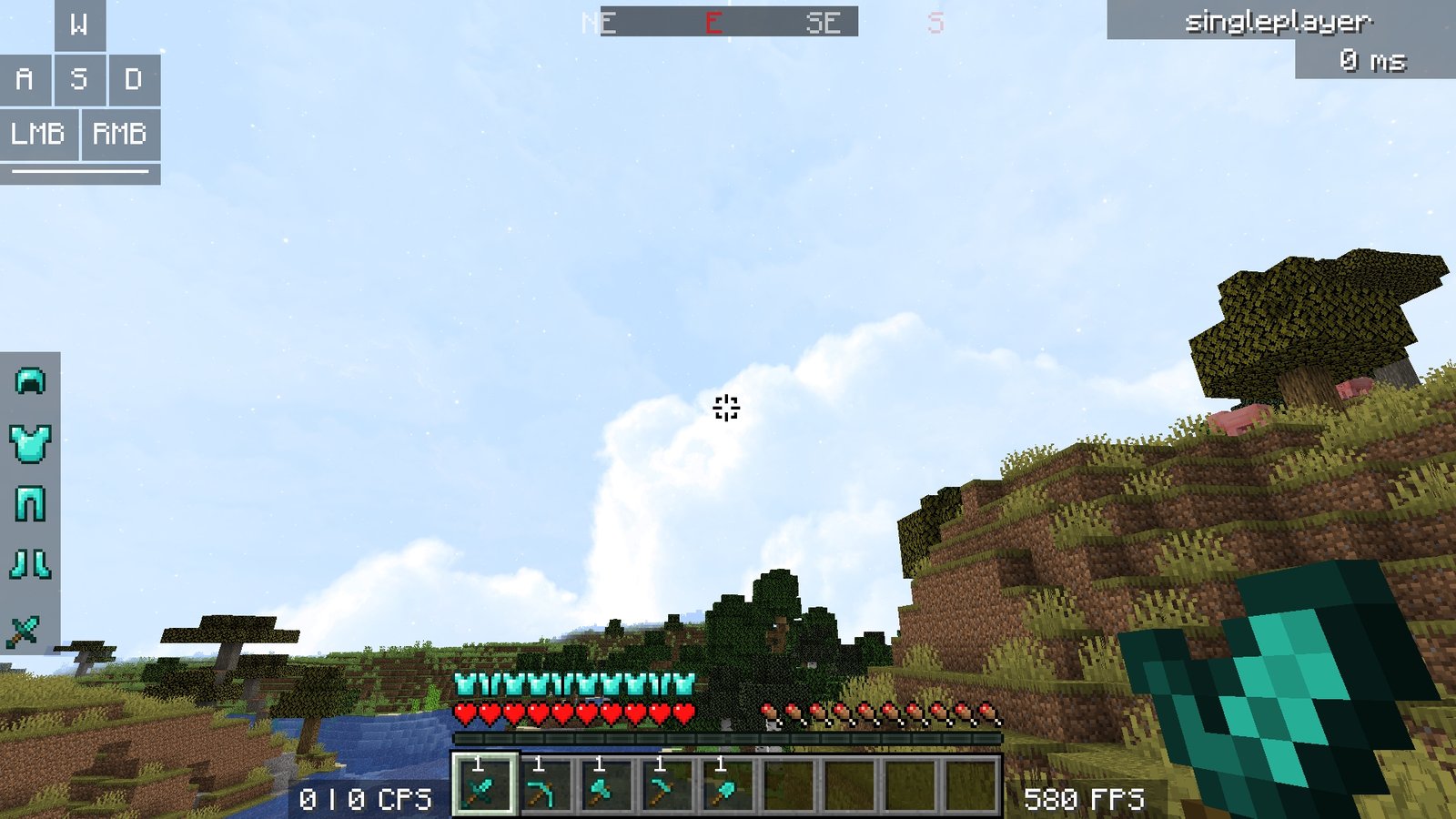
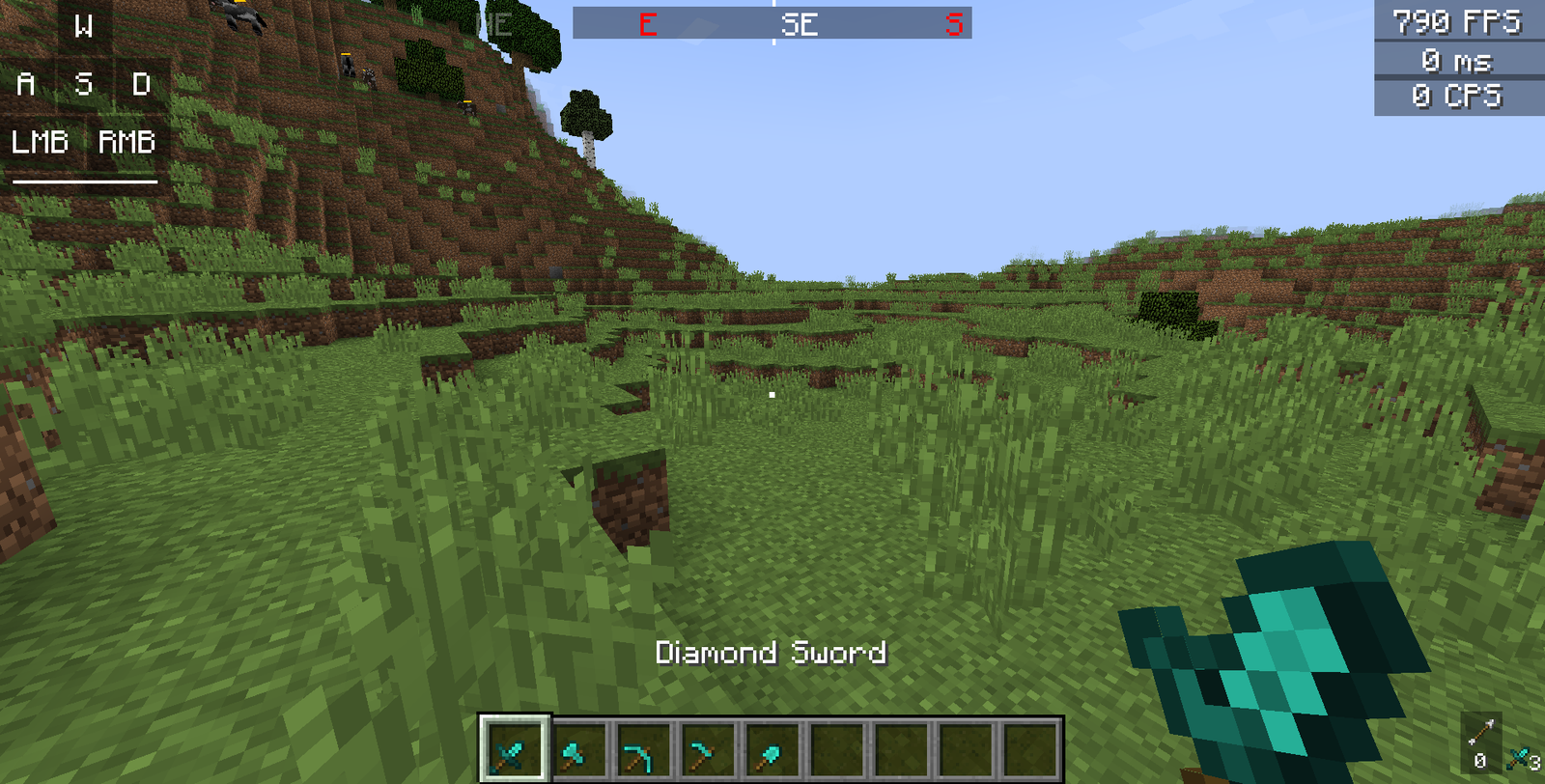
Tiny PVP Swords and Tools is a focused texture pack that reduces the visual scale of vanilla weapons and equipment to free up screen space during combat. The effect is immediate, small item sprites sit unobtrusively in the hand and hotbar, and this makes target tracking and crosshair placement feel less cluttered without changing item shapes dramatically.
Created by GamerPotion, Tiny PVP Swords and Tools keeps the classic Minecraft look while dialing down the visual dominance of swords, pickaxes, axes, and tools. This is not a full overhaul, it is a niche tweak that concentrates on PvP clarity, so you can expect most blocks, mobs, and interface elements to remain standard. That makes the pack a light, noninvasive option for players who want clearer sight lines during fights, build sessions, or fast-paced PvP rounds.
On modern clients the pack usually works alongside performance mods and shader setups, because it only alters a handful of item textures. That means you can pair it with an advanced shader or a higher resolution pack where only item visibility needs adjusting. Visit the textures pack browse page to see other focused packs, and to compare styles and utilities from different authors.
Who this is for
Tiny PVP Swords and Tools is aimed at players who prefer minimal hand sprites during combat, streamers who want unobstructed views, and anyone who feels the default tools block too much of the screen. It is especially useful on low FOV or narrow aspect ratios where item models can dominate space. Because changes are limited to weapons and tools, it integrates well with other texture packs that modify terrain or entities.
If you use resource pack managers or want to experiment, try it as a top layer in your resource pack list so the smaller item textures override larger sets. For a broader selection of focused and PvP oriented packs check the PvP category.
Gallery
Screenshots
Tiny PVP Swords and Tools in game, captured across biomes and lighting conditions.



What you get
Why Tiny PVP Swords and Tools?
Clearer Sight Lines
Smaller weapon and tool sprites reduce screen obstruction, helping you track targets more easily during fast combat.
Minimal Visual Change
The pack tweaks only items and keeps the vanilla aesthetic, so it feels familiar while improving combat visibility.
Easy Pairing
Because it changes a limited set of textures, it combines well with higher resolution packs or shader setups with minimal conflict.
Lightweight
Small, focused asset changes mean low chance of performance impact, suitable for lower end systems or competitive play.
Hotbar Focused
Reduced hotbar item size clarifies inventory awareness and makes rapid switching feel less visually noisy.
Quick Testing
You can try the pack briefly to judge benefit without committing to a full visual overhaul of your game.
Downloads
Get Tiny PVP Swords and Tools
The 6 most recent Tiny PVP Swords and Tools builds, direct mirror links, no ad redirects.
Install
How to install Tiny PVP Swords and Tools
Vanilla route
- 1Download the pack file and place it into the resourcepacks folder in your Minecraft directory.
- 2Open Minecraft, go to Options, then Resource Packs, and find Tiny PVP Swords and Tools in the list.
- 3Hover the pack and click the arrow to move it to the Selected list so it loads on top of others.
- 4Click Done to reload resources and join a world to confirm the smaller weapon and tool sprites appear.
Modded route (Vanilla)
- 1Install Fabric or Forge and launch Minecraft once to create the mods folder, Optifine can be used optionally.
- 2Place the Tiny PVP Swords and Tools pack into the resourcepacks folder in your Minecraft directory.
- 3Run Minecraft with your Fabric or Forge profile, then open Options and Resource Packs to enable the pack.
- 4Position the pack high in the resource pack list so its item textures override other packs, then reload resources.
◎ Compatibility
✓ Tested and confirmed working on Minecraft 26.1
We ran Tiny PVP Swords and Tools on Minecraft 26.1 even though the pack was not officially built for this version. Texture packs typically stay compatible across nearby Minecraft releases, and this one runs as expected.
Troubleshooting
Common problems
Items look unchanged
Ensure the pack is active and placed above other packs in the resource pack list, then reload the resource packs in Options.
Texture flicker when switching items
Disable conflicting packs that alter item models and confirm the pack is the top layer, then restart the game if flicker persists.
Hotbar scale inconsistent
Check for UI modifying packs or mods, move Tiny PVP Swords and Tools to the top, and test without other UI packs enabled.
Not visible in Bedrock
This pack is designed for Java resource pack format; use the Java edition or seek a Bedrock specific conversion and instructions.
FAQ
Frequently asked questions
Which Minecraft versions does Tiny PVP Swords and Tools support?+
The author lists compatibility with many recent Java versions, and texture packs generally remain compatible with nearby Minecraft versions even when they were not officially built for that release. Test the pack on your target version and disable conflicting packs if issues appear.
Will the pack affect game performance?+
Because it only changes a few item textures performance impact is usually negligible, but pairings with high resolution packs or heavy shaders may change load behavior.
Can I use this on Bedrock Edition?+
Tiny PVP Swords and Tools is created for Java resource pack format, so it will not work natively on Bedrock without conversion tools or a Bedrock specific port.
Do I need Optifine to use this pack?+
Optifine is not required to use the texture pack, though Optifine can be used optionally for additional texture loading options and performance tweaks.
Will this pack get me banned on servers?+
Texture packs that only change client textures are generally allowed, but server rules vary, and some competitive servers forbid any visual changes that give advantage. Check server rules before joining.
What if an item texture looks broken?+
Try reordering the pack to the top of your resource packs, remove any other packs that change items, and reload resources; if the problem remains, revert to a vanilla copy to confirm.
Ready to install?