Texture pack review
Small Shield & Totem
Small Shield & Totem latest build for Minecraft 26.2
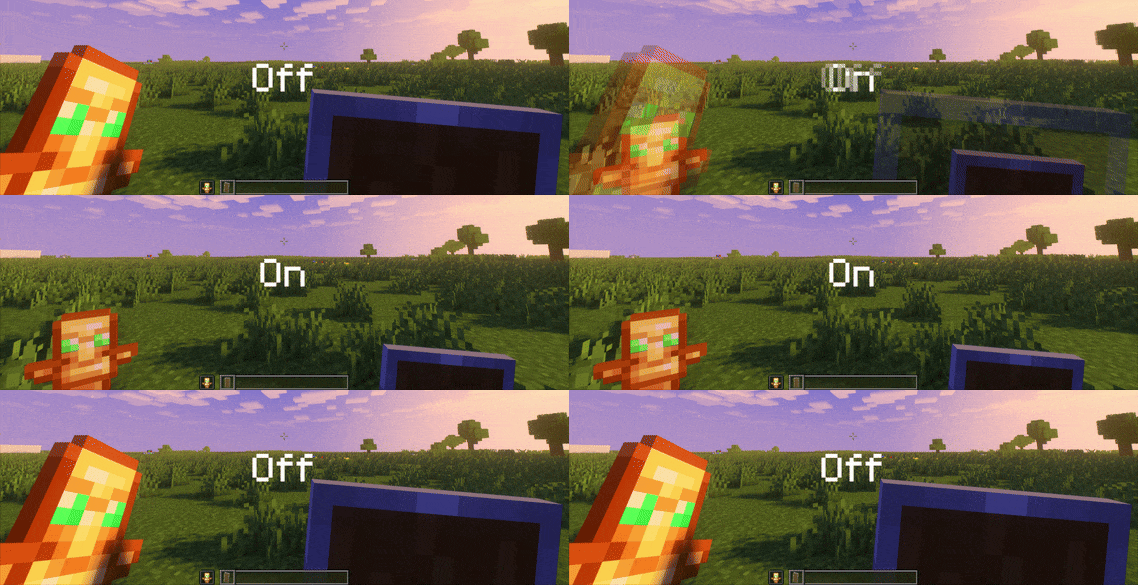
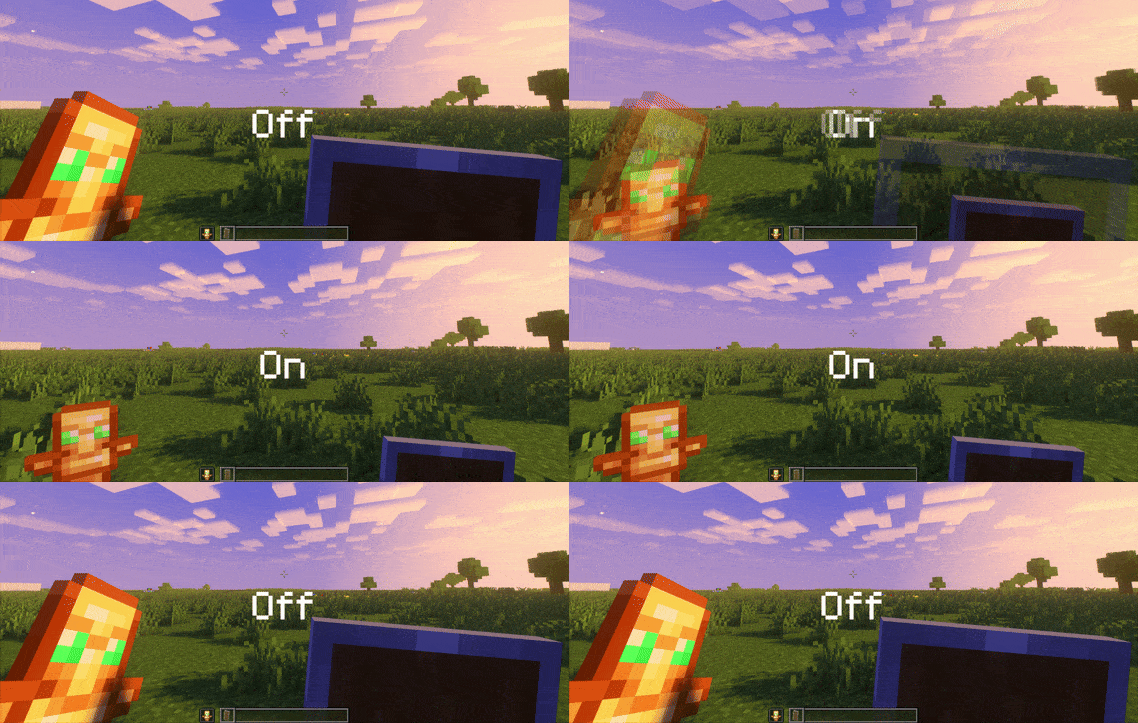
This pack shrinks the shield and totem models to clear up your screen, specifically designed for better visibility in combat and survival situations.
Overview
In-depth
Small Shield & Totem is a focused Minecraft resource pack that reduces the visual size of the shield and the totem models to clear up screen space during combat and survival play. The change is subtle but practical, letting you keep an eye on crosshair, health, and status effects without large overlays obstructing the center of the view. This pack is minimalist in intent, so it does not alter other item textures or environment art, it only targets the two blocking items for a cleaner HUD feel.
The pack follows a pvp-oriented philosophy, helping players who rely on quick reactions and unobstructed sight lines. You will still see the shield and totem clearly, they are simply scaled down to occupy less screen real estate, which can be especially useful when using narrow field of view or when monitoring opponents at close range. Because it is limited in scope, Small Shield & Totem is easy to combine with other texture packs that change blocks, mobs, or UI elements. Browse other texture packs on our site to find complementary styles at the textures pack collection.
Installation is straightforward for most players who use vanilla Minecraft, and no shader or heavy performance requirements are needed since the pack does not add high resolution textures. Note that any behavior tied to shields and totems remains unchanged, this is a visual modification only. For users who run modded clients, the pack should still work with standard resource pack loading, though some modded HUDs or custom item models may interact with the smaller models in unexpected ways.
Who this is for
Pick Small Shield & Totem if you want a small, single purpose tweak to reduce HUD clutter during fights. It is a convenient alternative to full scale UI mods when you only want a neater center screen. For more packs that focus on pvp or minimal HUDs, see the pvp category on texturespack.com.
Gallery
Screenshots
Small Shield & Totem in game, captured across biomes and lighting conditions.

What you get
Why Small Shield & Totem?
Reduced Screen Clutter
Smaller shield and totem models keep the center of the screen clearer, making it easier to track targets and crosshair movement during fights.
Minimal Performance Impact
The pack only adjusts two item models, so it does not add heavy textures or extra rendering overhead that could affect frame rates.
Easy Compatibility
Because it modifies a small set of assets, the pack pairs well with most other texture packs without visual conflicts or style clashes.
Combat Focused
Designed with pvp and survival combat in mind, it helps players who need unobstructed sight lines for quick reactions.
Simple and Clean
The change is purposeful and restrained, keeping the original look while improving visibility rather than replacing art.
Quick Installation
Installation is fast for vanilla users, letting you enable the pack and test the visual change within minutes.
Downloads
Get Small Shield & Totem
The 10 most recent Small Shield & Totem builds, direct mirror links, no ad redirects.
Install
How to install Small Shield & Totem
Vanilla route
- 1Download the Small Shield & Totem resource pack from the pack page.
- 2Open Minecraft and select Options, then Resource Packs from the main menu.
- 3Click Open Resource Pack Folder and move the downloaded pack file into that folder.
- 4Back in Minecraft choose the pack in Available Resource Packs and click Done to apply.
- 5Restart Minecraft if the smaller models do not appear immediately.
Modded route (Minecraft Vanilla)
- 1Download the pack and place it in the resourcepacks folder for your chosen instance.
- 2Run Minecraft with Fabric or Forge, Optifine can be used as an option for additional model support.
- 3Open the Resource Packs menu and enable Small Shield & Totem, then click Done.
- 4If using a modded HUD, check mod settings because custom renderers may override item models.
- 5Restart the client after enabling to ensure model changes load correctly.
◎ Compatibility
✓ Tested and confirmed working on Minecraft 26.2 and 26.1.2
We ran Small Shield & Totem on Minecraft 26.2 and 26.1.2 even though the pack was not officially built for these versions. Texture packs typically stay compatible across nearby Minecraft releases, and this one runs as expected.
Troubleshooting
Common problems
Pack does not appear in menu
Ensure the zip file is placed in the resourcepacks folder and that the file is not zipped with an extra parent folder. Restart Minecraft if it still does not show.
Smaller models not visible
Confirm the pack is at the top of your active resource packs list, some packs loaded above it can override the same item models.
Modded HUD overrides changes
Open the mod settings for your HUD mod and disable custom item model rendering or reorder resource packs so Small Shield & Totem has priority.
Visual glitches on certain servers
Servers with resource pack enforcement or custom client mods may alter client visuals, try using the pack locally or check server requirements.
FAQ
Frequently asked questions
What Minecraft versions does Small Shield & Totem support?+
The pack was created for a range of versions and lists multiple supported releases. Texture packs generally remain compatible with nearby Minecraft versions even when they were not officially built for that release, but always test in your chosen version.
Will this pack affect game performance?+
No significant performance impact is expected since only two item models are resized, not high resolution textures or extra assets.
Can I use this on Bedrock Edition?+
This pack is designed for Java resource pack format, Bedrock uses a different structure so the pack will not work directly without conversion tools.
Do I need Optifine to use this pack?+
Optifine is not required for the basic model scaling, but Optifine can be used as an option for additional model features in some setups.
Is it safe to use on multiplayer servers?+
Using the pack client side is generally safe, however some servers enforce specific resource packs or disallow client modifications, check server rules before using it.
What if I see overlapping icons after installing?+
Overlaps can occur with other UI or HUD mods, try disabling conflicting packs or reorder resource packs so Small Shield & Totem has priority. Reload or restart the client after changes.
Ready to install?