Texture pack review
RPG PVP Swords and Tools
RPG PVP Swords and Tools latest build for Minecraft 1.21.8
Check out RPG PVP Swords and Tools, a refined resource pack that brings 32x scale gear, blue-hilted swords, and a clean custom crosshair to your game.
Overview
In-depth
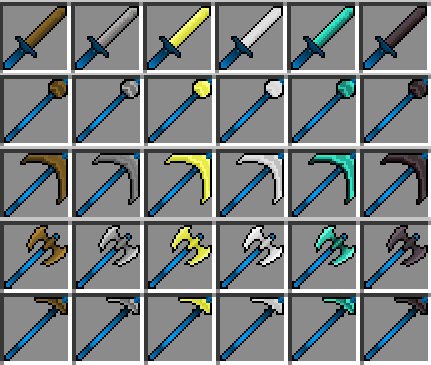
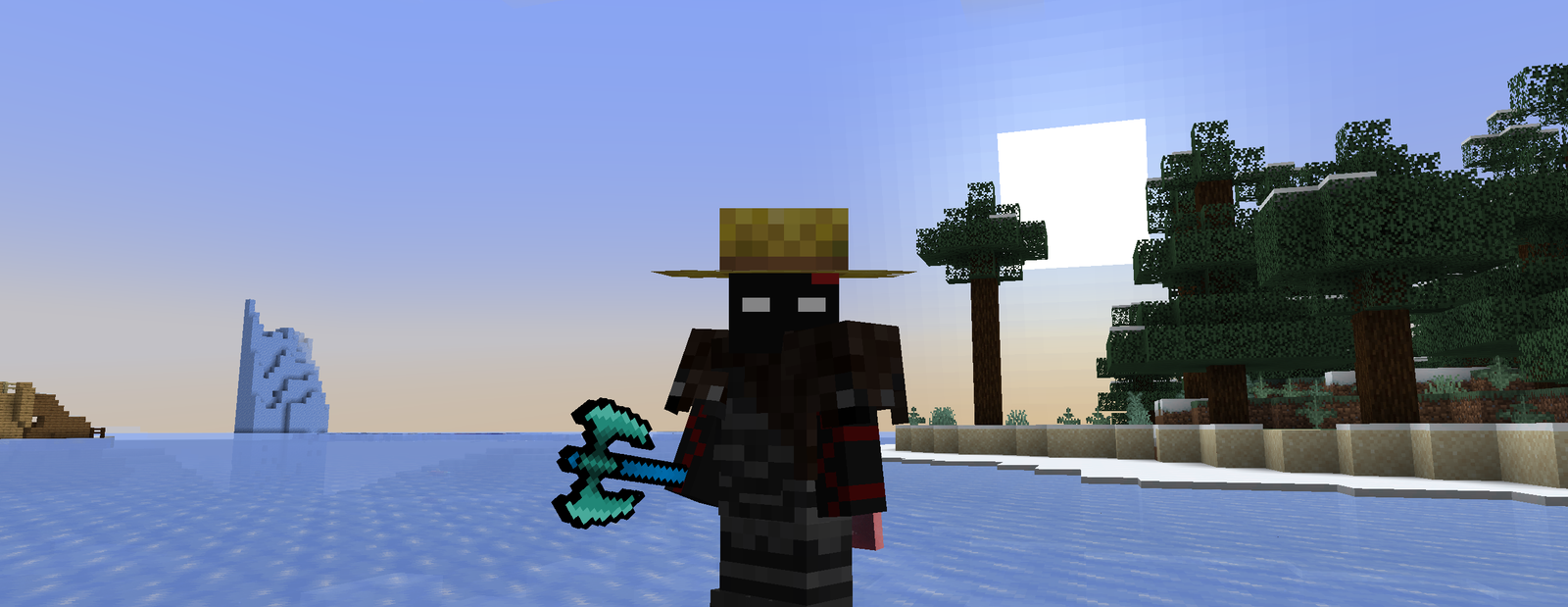
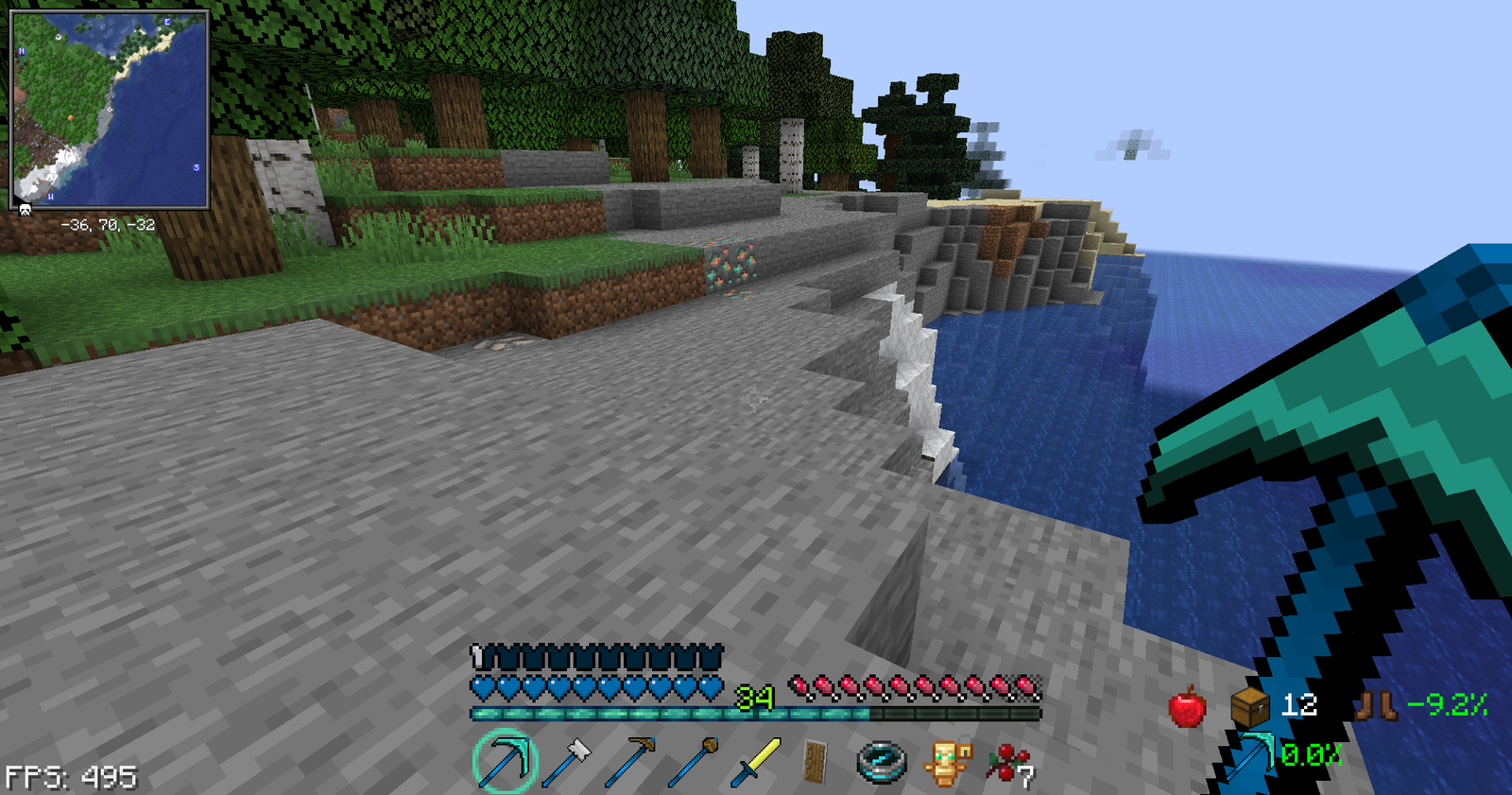
RPG PVP Swords and Tools updates the look of weapons and utility items with a focused, 32x scale aesthetic that suits competitive play. The pack centers on blue-hilted swords, sharper axe and pick outlines, and a simplified custom crosshair. Textures are intentionally crisp and readable, so gear is easy to identify in a fight without overwhelming visual noise.
The pack does not overhaul terrain or mobs, it concentrates on PvP essentials like sword faces, tool edges, and select held item models. That makes it a light way to change combat visuals while keeping familiar world art. I noticed the color choices favor cooler blues and neutral grays, which helps items stand out against most environments during quick exchanges.
RPG PVP Swords and Tools works well alongside shader setups or minimal packs because it focuses narrowly on armory visuals. It can be paired with performance friendly configurations to retain frame rate during intense skirmishes. For alternative packs in the same vein, browse other options on our main textures page.
Who this pack suits
Players who want clearer weapon silhouettes for PvP, streamers who want a distinctive but not flashy look, and builders who prefer to keep base blocks untouched will find this pack useful. It is not designed for players seeking a full overhaul, so do not expect new terrain or GUI redesigns beyond the custom crosshair. You can also explore similar PvP style packs in the PvP category for more variations.
Gallery
Screenshots
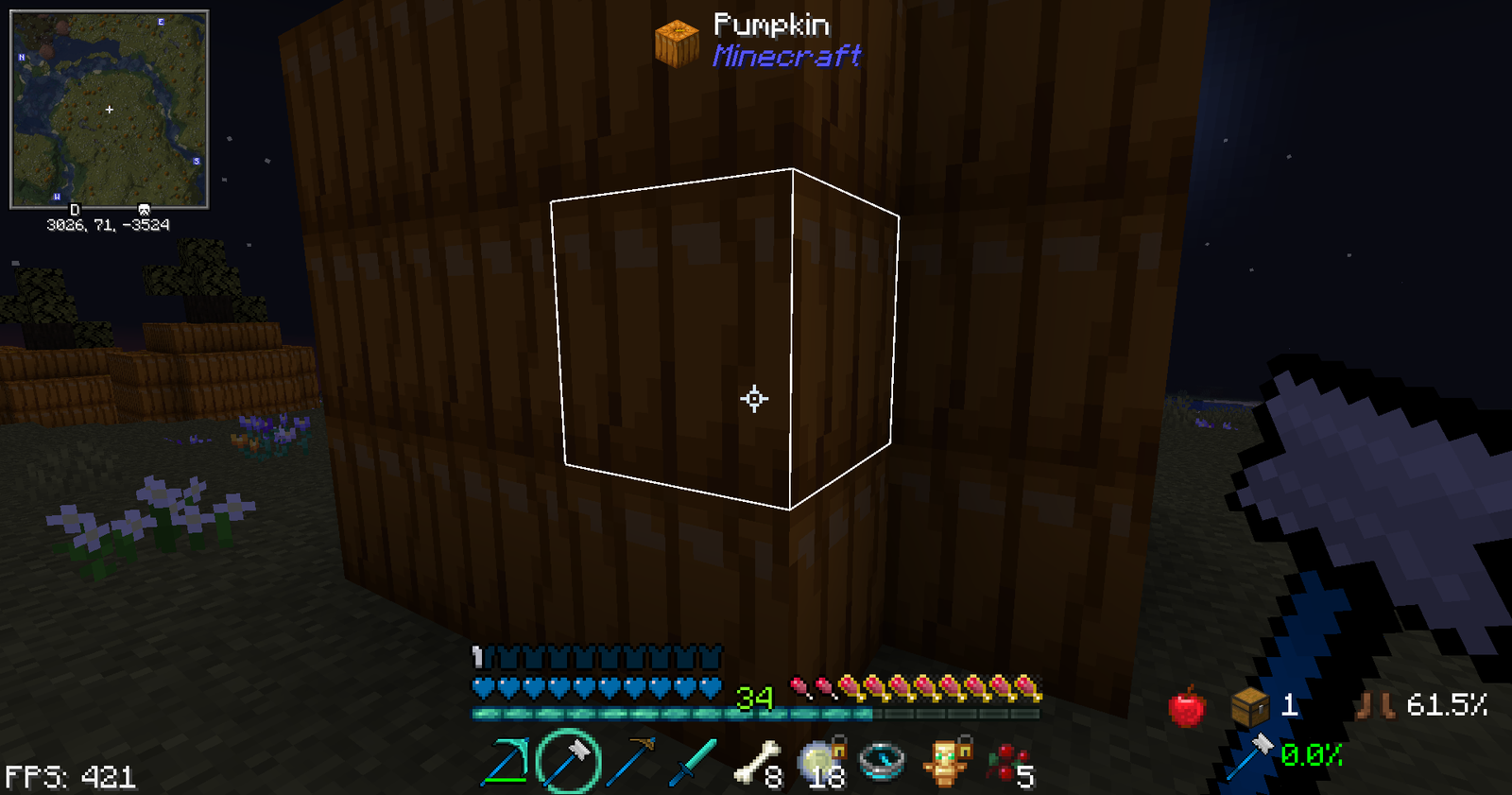
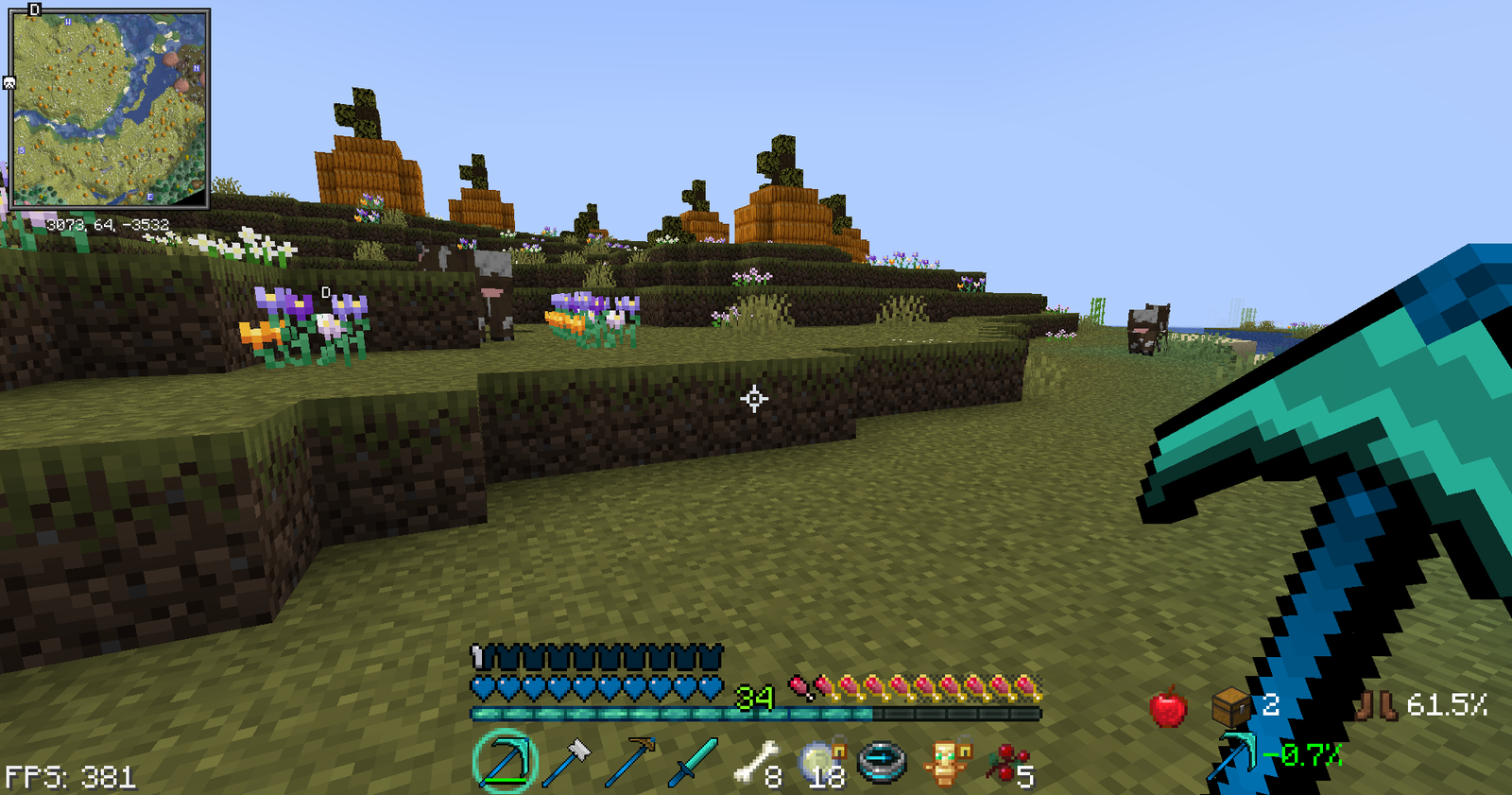
RPG PVP Swords and Tools in game, captured across biomes and lighting conditions.
What you get
Why RPG PVP Swords and Tools?
Clear weapon silhouettes
Distinct 32x textures make swords and tools easy to spot during combat, reducing visual confusion in hectic fights.
Minimal performance hit
Focused changes to gear textures mean the pack stays light on resources, helping maintain higher frame rates on mid range systems.
Consistent color palette
Blue hilts and neutral grays give a cohesive look that contrasts well with most biomes and builds.
Readable crosshair
A simplified custom crosshair improves target visibility without distracting from action on screen.
Easy to mix
Because it does not replace terrain or mobs, the pack pairs cleanly with shaders and other minimal resource packs.
Focused PvP intent
Designed with competitive play in mind, it prioritizes combat clarity over decorative changes.
Downloads
Get RPG PVP Swords and Tools
The 5 most recent RPG PVP Swords and Tools builds, direct mirror links, no ad redirects.
Install
How to install RPG PVP Swords and Tools
Vanilla route
- 1Download the RPG PVP Swords and Tools zip file from the pack page.
- 2Open Minecraft, go to Options then Resource Packs and click Open Pack Folder.
- 3Move the zip into the resourcepacks folder without extracting it.
- 4Back in Minecraft, enable the pack from Available Packs and move it to Selected.
Modded route (Vanilla)
- 1Install Fabric or Forge for the Minecraft version you plan to run, Optifine is optional.
- 2Place the pack zip into the resourcepacks folder as with vanilla installs.
- 3If using a resource pack loader mod, ensure it is enabled in the mods menu.
- 4Launch Minecraft with Fabric or Forge and activate the pack in Resource Packs.
◎ Compatibility
✓ Tested and confirmed working on Minecraft 1.21.8
We ran RPG PVP Swords and Tools on Minecraft 1.21.8 even though the pack was not officially built for this version. Texture packs typically stay compatible across nearby Minecraft releases, and this one runs as expected.
Troubleshooting
Common problems
Items look too bright
Lower in game brightness or tweak shader settings; you can also disable any conflicting packs that change item colors.
Pack does not appear in game
Ensure the zip is placed in the resourcepacks folder and that the file has not been extracted into a subfolder.
Crosshair hides small targets
Switch to a different crosshair option in the pack settings or use Minecraft's built in HUD scaling to adjust size.
Visual glitches with other packs
Load RPG PVP Swords and Tools above other packs that modify items, or disable overlapping packs to prevent texture conflicts.
FAQ
Frequently asked questions
Which Minecraft versions does RPG PVP Swords and Tools support?+
The pack lists multiple 1.16 through 1.21 era versions as supported. Texture packs generally remain compatible with nearby Minecraft versions even when they were not officially built for that release.
Will this pack affect my frame rate?+
Because it only changes weapon and tool textures at 32x, the performance impact is usually minimal. Using shaders or high resolution packs alongside it can increase load, so test with your usual setup.
Can I use this on Bedrock Edition?+
This pack is authored for Java resource pack structure, so direct use on Bedrock is not guaranteed. Some users convert assets manually, but that process is not covered here.
Do I need Optifine to run it?+
Optifine is not required for basic use, it is optional for additional graphical options like better item animations. Texture packs generally remain compatible with nearby Minecraft versions even when they were not officially built for that release.
Is there any risk using this pack on public servers?+
Using a client side resource pack like this one is typically safe on servers, but some servers enforce specific resource packs or ban modified textures, so check server rules first.
What if a texture looks wrong or broken?+
Try moving the pack higher in your resource pack list, disable other packs that change items, or redownload the pack to rule out corruption. Texture packs generally remain compatible with nearby Minecraft versions even when they were not officially built for that release.
Ready to install?