Texture pack review
RAY's 3D Rails
RAY's 3D Rails latest build for Minecraft 1.13
RAY's 3D Rails replaces flat, 2D rail textures with high-quality 3D models. It supports vanilla Minecraft and a wide range of popular mods, including shader support via LabPBR.
Overview
In-depth
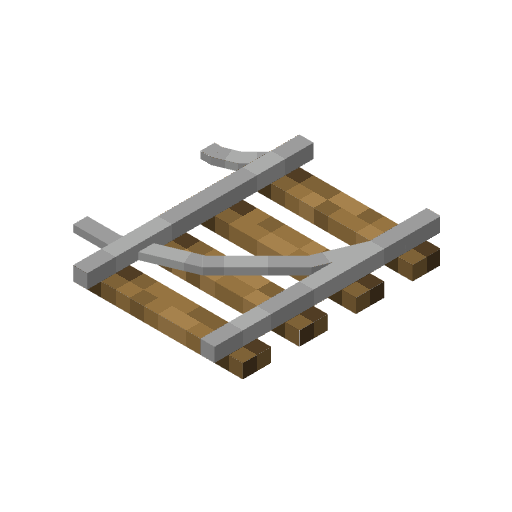
RAY's 3D Rails swaps the standard flat rail textures for modeled, three dimensional tracks that stand out in close inspection. The pack focuses on rails only, keeping other blocks untouched so you can layer it with broader realistic packs. Rails gain depth, visible sleepers, and metalwork that responds well to light, which helps them read better under shaders and in screenshots.
The author xR4YM0ND designed the models with a realistic style that fits well in modern builds, industrial sites, and train-focused maps. Because the pack targets rails specifically, it integrates quietly with other texture packs and resource packs. You can pair it with a full realistic pack and avoid visual clashes by leaving most terrain and block art untouched. For browsing other texture packs, see our main catalog here: https://texturespack.com/browse/texture-packs.
RAY's 3D Rails was built for vanilla Minecraft but also notes compatibility with widely used rendering mods and shader frameworks, including LabPBR. That makes it an easy add-on for players who already use enhanced lighting. For more realistic style options, explore texture packs in the realistic category here: https://texturespack.com/browse/texture-packs?category=realistic.
Who this pack is for
This is a good choice if you care about small but meaningful visual details on technical builds, transport hubs, and rail networks. It does not change ride mechanics or gameplay, so it is safe to use on most worlds. Expect the clearest results under shaders or with a physically based rendering workflow, though you will still see improvements in plain vanilla lighting.
Gallery
Screenshots
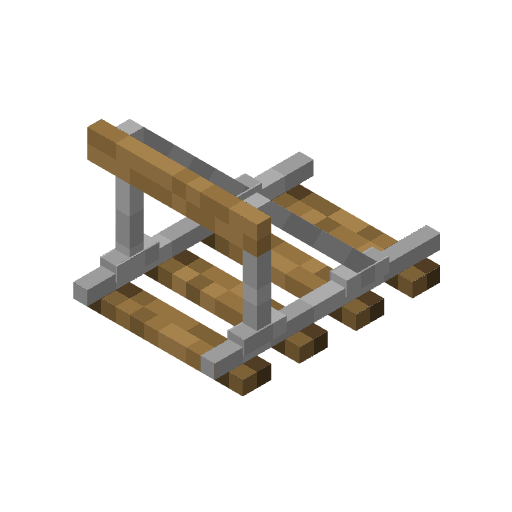
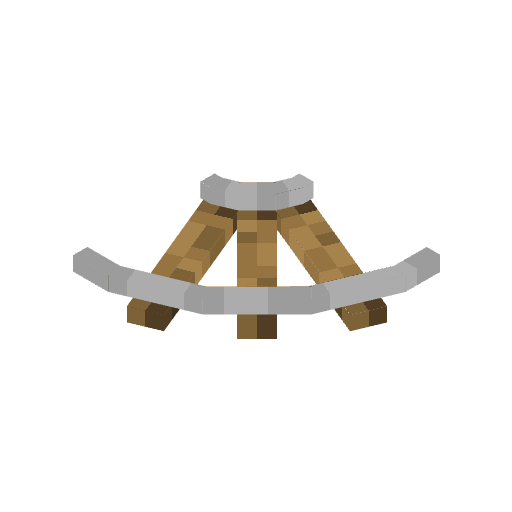
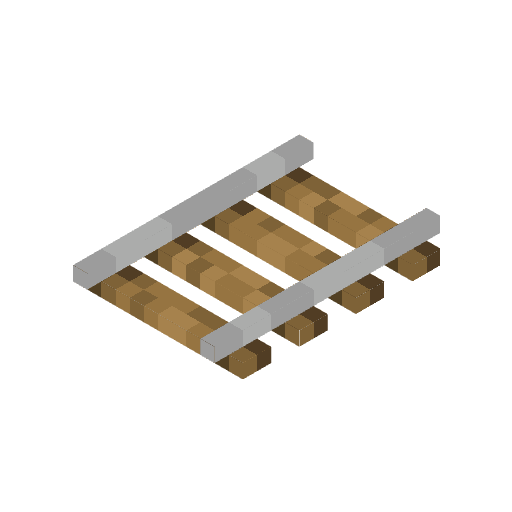
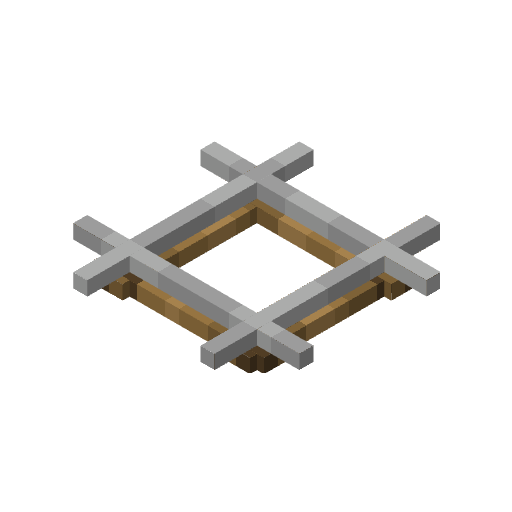
RAY's 3D Rails in game, captured across biomes and lighting conditions.
What you get
Why RAY's 3D Rails?
Clearer rail visuals
RAY's 3D Rails turns flat rails into distinct 3D models, making track layouts easier to read at a glance during builds or inspections.
Shader friendly
The models were designed to work well with modern shaders and LabPBR, producing more realistic highlights and metal reflections.
Non intrusive
Only rail textures and models are changed, so the pack layers cleanly with other realistic or themed resource packs.
Lightweight focus
Because it modifies a small subset of assets, it avoids large texture overhauls that can impact load times and compatibility.
Works with vanilla
Built for Minecraft Vanilla, it requires no mandatory mods to display the 3D rails in standard gameplay.
Developer license
Distributed under the MIT License, the pack is permissive for personal customization and compatible with many community projects.
Downloads
Get RAY's 3D Rails
The 10 most recent RAY's 3D Rails builds, direct mirror links, no ad redirects.
Install
How to install RAY's 3D Rails
Vanilla route
- 1Download the RAY's 3D Rails zip from the pack page.
- 2Open Minecraft Launcher and select the desired game version.
- 3Click Installations then More Options to confirm assets and version.
- 4Open the resource packs folder via Options then Resource Packs, and drag the zip in.
- 5Enable the pack from the Resource Packs menu and reload the world.
Modded route (Minecraft Vanilla)
- 1Install Fabric or Forge for your Minecraft version and launch once to create folders.
- 2Optionally install Optifine for extra shader compatibility, then restart the launcher.
- 3Place the RAY's 3D Rails zip into the resourcepacks folder.
- 4If using a shader or LabPBR, install the shader mod and enable the shader profile after loading the pack.
- 5Start Minecraft with Fabric or Forge and activate the pack in Options, Resource Packs.
◎ Compatibility
✓ Tested and confirmed working on Minecraft 1.13
We ran RAY's 3D Rails on Minecraft 1.13 even though the pack was not officially built for this version. Texture packs typically stay compatible across nearby Minecraft releases, and this one runs as expected.
Troubleshooting
Common problems
Rails look flat under some lighting
Try enabling a shader or LabPBR profile, or adjust in-game brightness; vanilla lighting can reduce the perceived depth of models.
Pack not appearing in Resource Packs
Ensure the zip contains a pack.mcmeta at the top level, and that you placed the file in the correct resourcepacks folder, then restart Minecraft.
Model glitches on older versions
Use a matching game version close to the pack release, or test nearby versions since texture packs often remain compatible across nearby Minecraft releases.
Conflict with other rail packs
Load RAY's 3D Rails higher in the resource pack order or remove other rail-specific packs to let its models take priority.
FAQ
Frequently asked questions
What Minecraft versions does RAY's 3D Rails support?+
The pack lists many supported versions across recent releases. Texture packs generally remain compatible with nearby Minecraft versions even when they were not officially built for that release.
Will this pack affect performance?+
Because it changes only rail models it is lighter than full resolution packs, though shaders or extra rendering features can increase GPU load.
Can I use this on Bedrock Edition?+
This pack is designed for Java edition; Bedrock uses a different resource format and requires conversion, which may not reproduce the models accurately.
Do I need Optifine to run it?+
Optifine is not required for basic Java usage, but it can improve shader compatibility and lighting when using advanced renderers.
Is it safe to use on multiplayer servers?+
Using the pack client side is generally safe and does not modify server files, but server resource packs or plugins may override client visuals.
What if rails appear broken after installation?+
Reload the resource packs, check pack order and confirm no other pack is overwriting rail assets; testing in a fresh world can help isolate conflicts.
Ready to install?