Texture pack review
Modded Omelet - Modern Spawn Eggs
Modded Omelet - Modern Spawn Eggs latest build for Minecraft 1.21
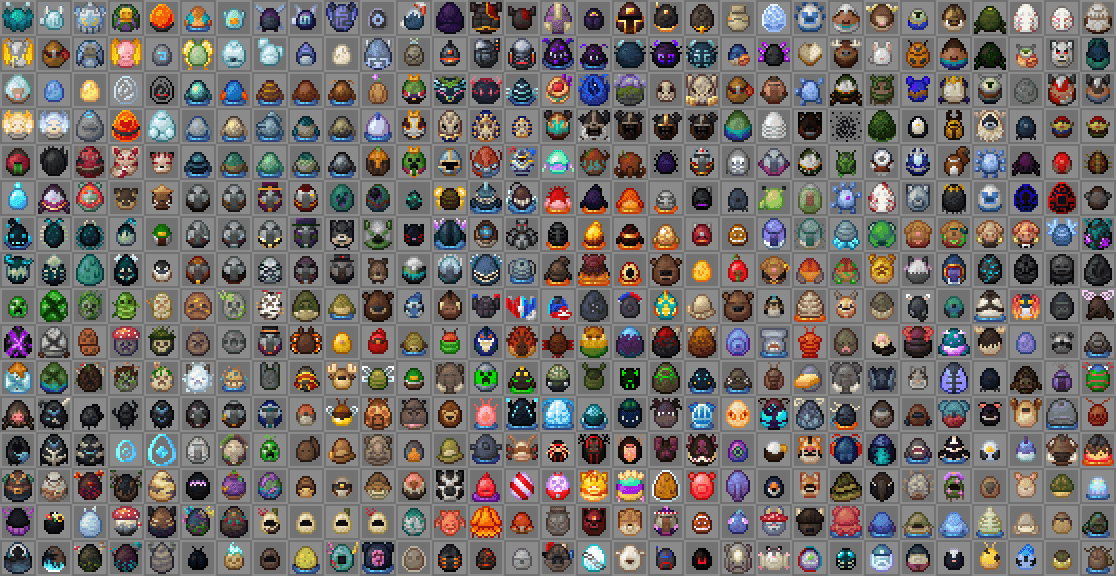
This pack updates spawn egg textures to match the 1.21.5 style while providing massive support for over 200 popular creature mods.
Overview
In-depth
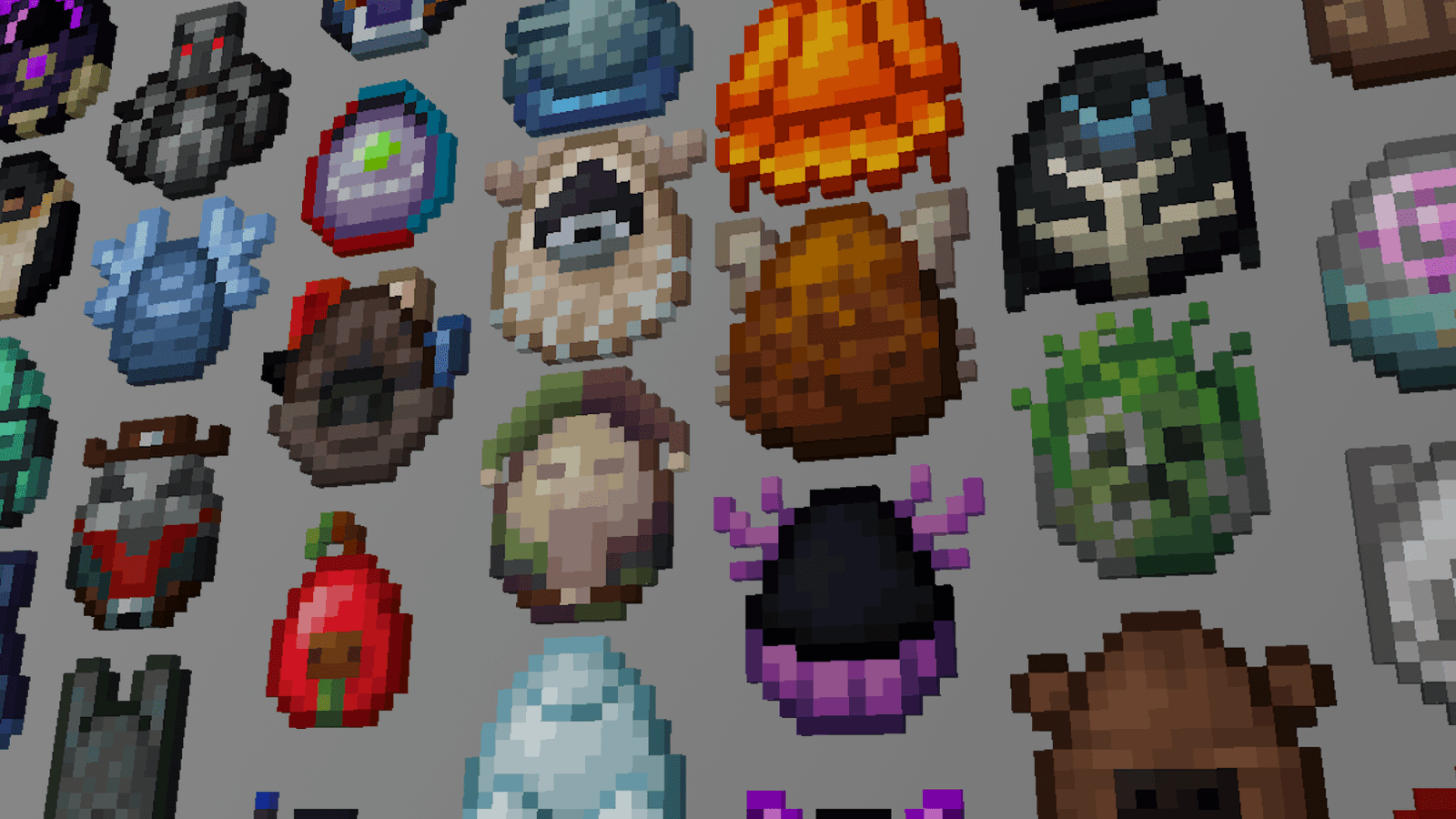
Modded Omelet - Modern Spawn Eggs is a focused texture pack that reworks spawn egg artwork to match a consistent 1.21.5 style while covering a large number of modded creatures. The pack is small in scope but large in reach, aiming to make eggs from popular creature mods feel like they belong in the same visual language as vanilla 1.21 spawn eggs. You will notice updated shapes, color palettes that fit the modern default eggs, and clearer silhouette definition for fast recognition in inventory and hotbar.
The author, L200, presents this pack as a themed upgrade rather than a total overhaul, which means it integrates cleanly with many existing packs without changing other UI elements. That focused approach keeps the visual changes predictable, letting players use Modded Omelet - Modern Spawn Eggs alongside broader texture packs or minimal packs. For browsing other texture packs, see the main textures pack directory on our site.
Installation is straightforward for both vanilla and modded setups. The pack does not attempt to replace mobs or sounds, it only swaps the spawn egg sprites, so compatibility with most gameplay mods is high. Because this pack supports hundreds of creature mods, you can expect many nonvanilla eggs to display consistent artwork, although some rare mod textures may still fall back to their original sprites.
Who should try it
Players who use many creature mods, server operators who want consistent item visuals, and texture pack curators looking for a plugin-style addon will find this useful. If you frequently juggle modded mobs and want quick visual identification in chests and inventories, Modded Omelet - Modern Spawn Eggs is worth testing. For more themed packs browse the themed category on our site.
Gallery
Screenshots
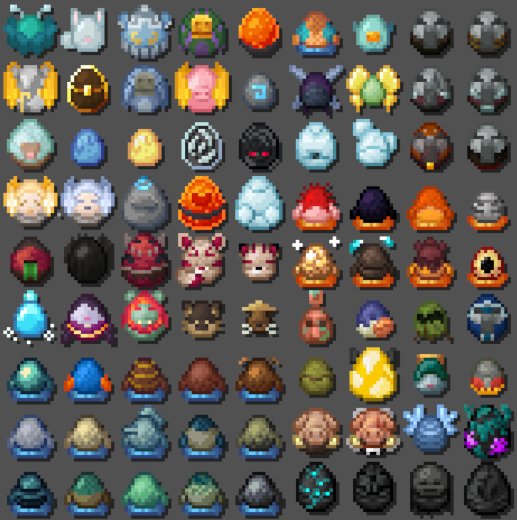
Modded Omelet - Modern Spawn Eggs in game, captured across biomes and lighting conditions.
What you get
Why Modded Omelet - Modern Spawn Eggs?
Consistent spawn art
Gives modded spawn eggs a unified look that matches modern vanilla shapes and palettes for easier identification.
Broad mod support
Includes replacements for over 200 creature mods, reducing visual fragmentation across commonly used mod sets.
Low scope, high impact
Only replaces spawn egg textures, so it avoids conflicts and keeps the rest of your pack unchanged.
Easy to combine
Designed to layer on top of other packs without altering UI or mob models for straightforward compatibility.
Clear silhouettes
Improved contrast and outlines make it faster to recognize eggs in cluttered inventories and item frames.
Author maintained
Created by L200, the pack follows a single visual direction to keep new mod entries consistent over time.
Downloads
Get Modded Omelet - Modern Spawn Eggs
The 10 most recent Modded Omelet - Modern Spawn Eggs builds, direct mirror links, no ad redirects.
Install
How to install Modded Omelet - Modern Spawn Eggs
Vanilla route
- 1Download the pack from the textures pack directory and save the zip file.
- 2Open Minecraft, go to Options, then Resource Packs to open the resource folder.
- 3Move the downloaded zip into the resourcepacks folder, do not extract it.
- 4Enable the pack from the Resource Packs menu and reload the world to view changes.
- 5If textures do not appear, restart Minecraft and verify the zip is in the correct folder.
Modded route (Vanilla)
- 1Install Fabric or Forge for your Minecraft version, Optifine is optional for extra settings.
- 2Place the Modded Omelet - Modern Spawn Eggs zip into the resourcepacks folder.
- 3Enable the pack in the Resource Packs menu, keep mod loaders and mods active.
- 4Use a resource pack order where Modded Omelet is above general packs to prioritize eggs.
- 5Restart the game if textures do not update, and clear modded cache or shader cache if needed.
◎ Compatibility
✓ Tested and confirmed working on Minecraft 1.21
We ran Modded Omelet - Modern Spawn Eggs on Minecraft 1.21 even though the pack was not officially built for this version. Texture packs typically stay compatible across nearby Minecraft releases, and this one runs as expected.
Troubleshooting
Common problems
Some eggs still look vanilla
Verify the pack is enabled above other packs and that the mod providing that egg is listed as supported; unsupported mods will fallback to original sprites.
Texture not updating in active world
Reload resource packs from the menu or fully restart Minecraft, as some clients cache item sprites during a session.
Conflicts with larger packs
Place Modded Omelet - Modern Spawn Eggs higher in the resource pack priority or use a compatibility patch if the other pack replaces eggs.
Blurry or inconsistent edges
Ensure you are not running automatic texture scaling provided by a shader pack or Optifine, and check pack integrity by re-downloading the zip.
FAQ
Frequently asked questions
Which Minecraft versions does this pack support?+
This pack lists support for various 1.19 through 1.21.x builds. Texture packs generally remain compatible with nearby Minecraft versions even when they were not officially built for that release.
Will this impact game performance?+
No significant performance impact is expected because only egg sprites change, which are low cost to render.
Can I use this on Bedrock Edition?+
This pack is created for Java edition resource packs and will not work natively on Bedrock without conversion tools.
Do I need Optifine for this pack to work?+
Optifine is not required, the pack uses standard resource pack features; Optifine may offer additional texture controls but is optional.
Is it safe to run on a server?+
Yes, client-side resource packs change only visuals and do not alter server behavior, but check server resource pack policies before using.
What if a specific mod egg looks wrong?+
Report the issue to the pack author and check for updates, and remember that texture packs often remain compatible across nearby Minecraft versions even if not explicitly updated.
Ready to install?