Texture pack review
Enhanced Boss Bars
Enhanced Boss Bars latest build for Minecraft 26.1
This project replaces the generic and uninspired default health bars for bosses with more creative, themed designs that fit the specific aesthetic of different monsters and modded enemies.
Overview
In-depth
Enhanced Boss Bars is a focused texture pack that replaces the default boss health bars with themed, creature-specific designs. The pack aims to add personality to encounters by matching the visual language of each boss, which can make fights easier to parse at a glance and add a touch of style without altering gameplay mechanics.
Themed elements range from subtle color swaps to full meter redesigns, depending on the monster. Because this pack concentrates on a single UI element, it plays well alongside many other packs and mods. You can browse many other texture packs on TexturesPack to pair with it, or use the themed category for similar UI-focused options.
Installation is straightforward, and the pack is suitable for players who want a small, targeted change rather than a full graphical overhaul. Enhanced Boss Bars does not add new mechanics, so compatibility with gameplay mods is usually good. That said, some mods that replace boss UI directly may conflict, so testing with your mod list is advisable.
What to expect
Expect cleaner, more readable boss bars that reflect the boss identity. The pack keeps icons and fonts familiar, focusing on the bar and related accents. It is especially useful on servers or modded setups where multiple boss types appear frequently, since the visual cues help you identify threats faster. If you want broader interface changes, consider combining this pack with other packs from the themed collection to maintain a coherent look across menus and HUD elements.
If you need downloads, updates, or to explore similar packs, head to the main texture pack browse page on TexturesPack or view the themed category for related picks.
Gallery
Screenshots
Enhanced Boss Bars in game, captured across biomes and lighting conditions.
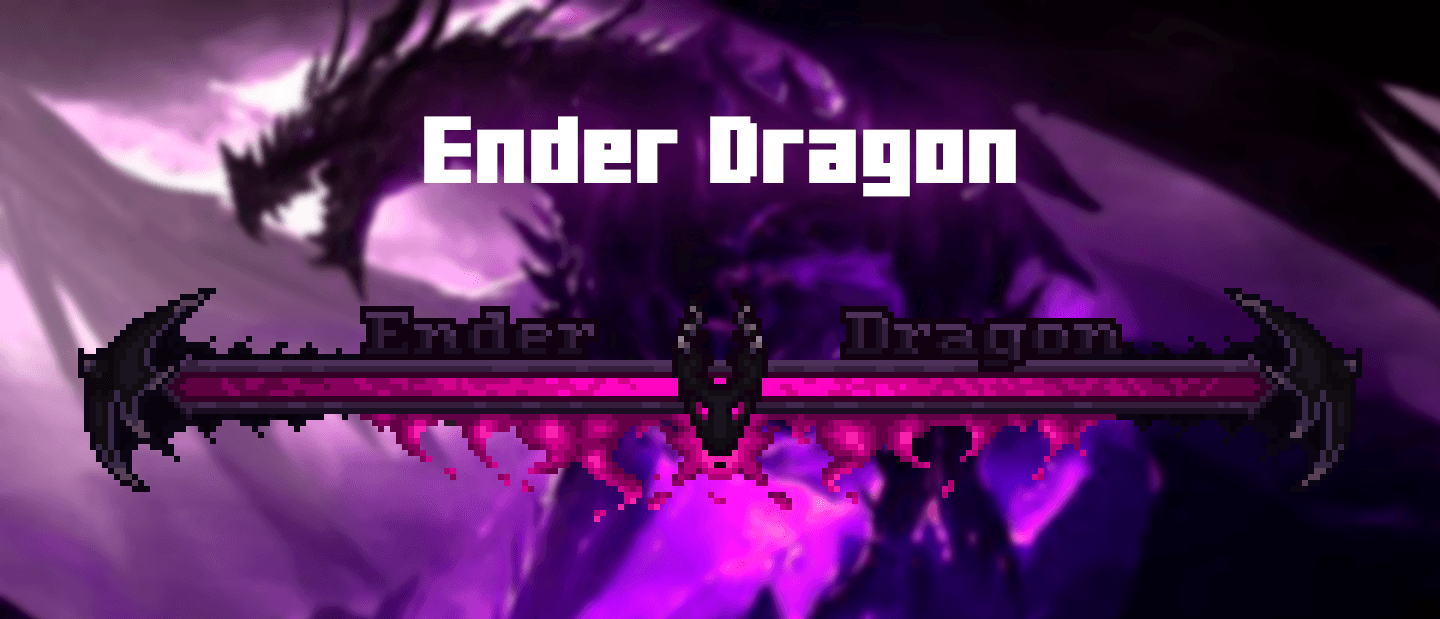
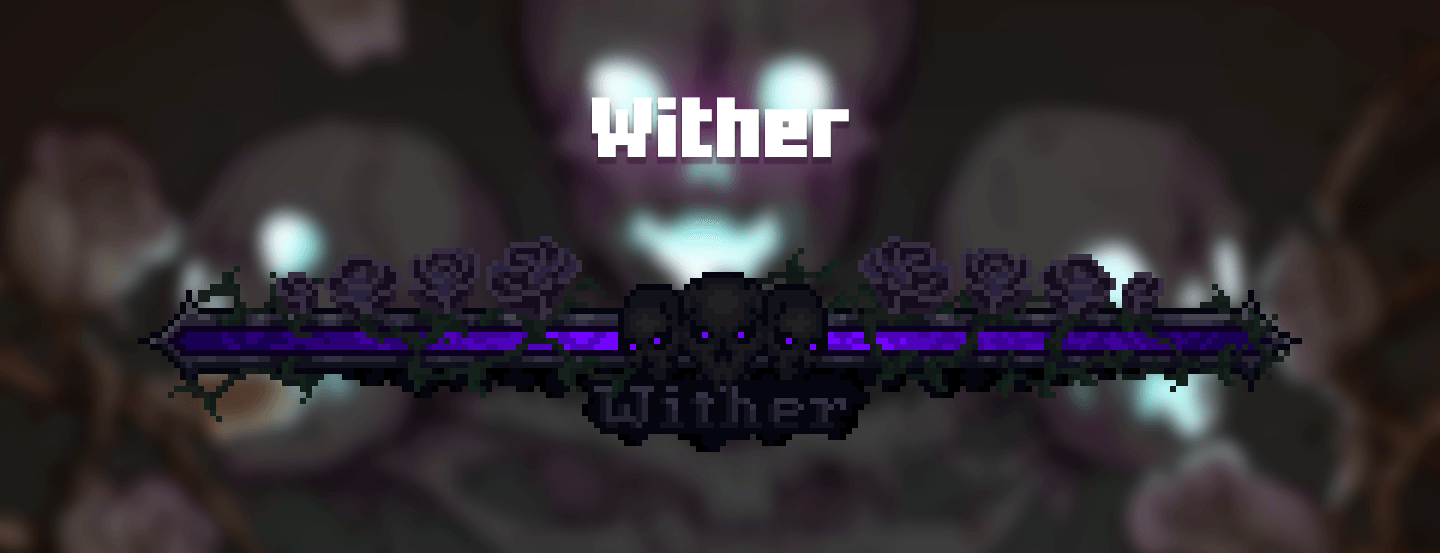
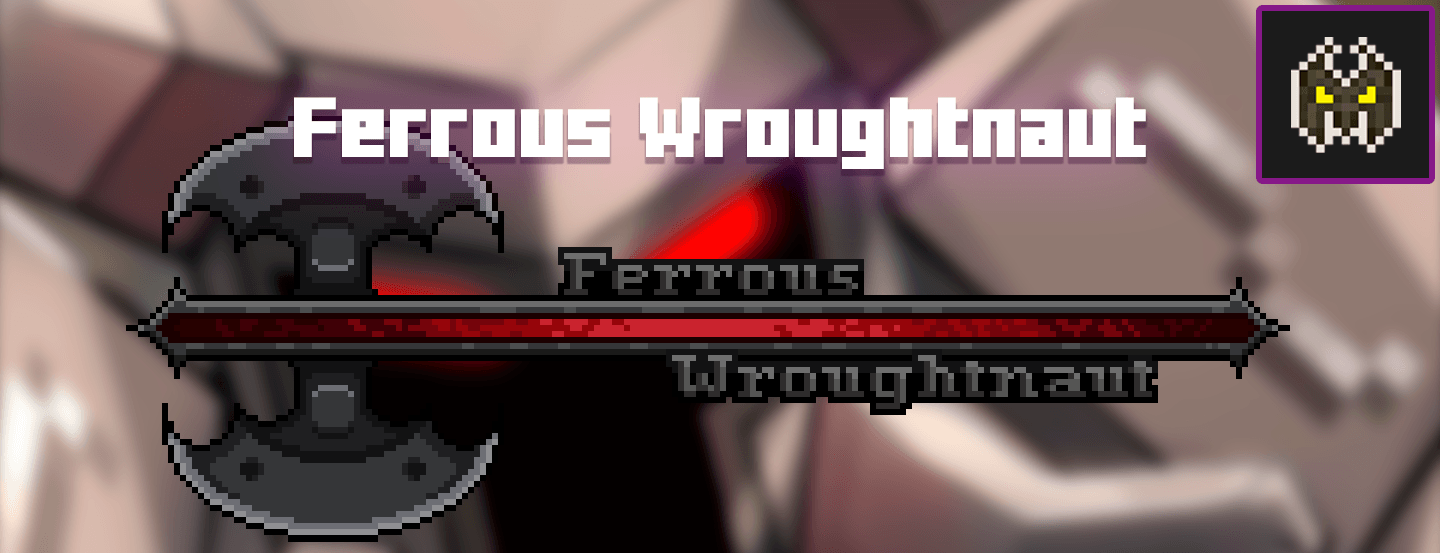
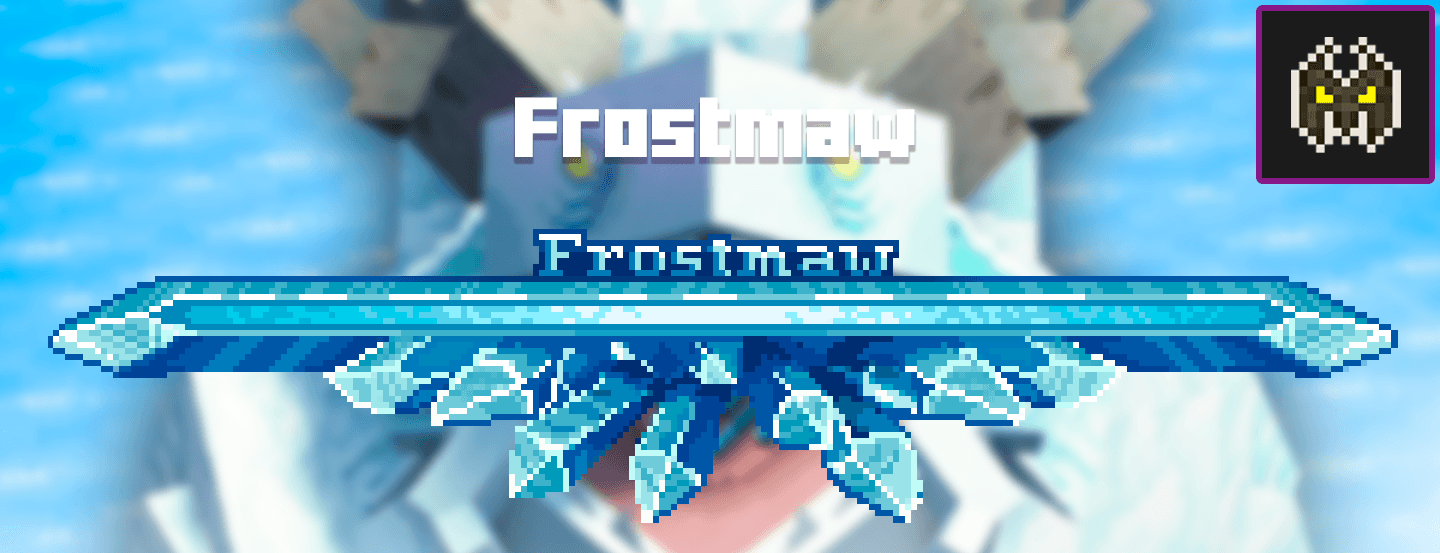
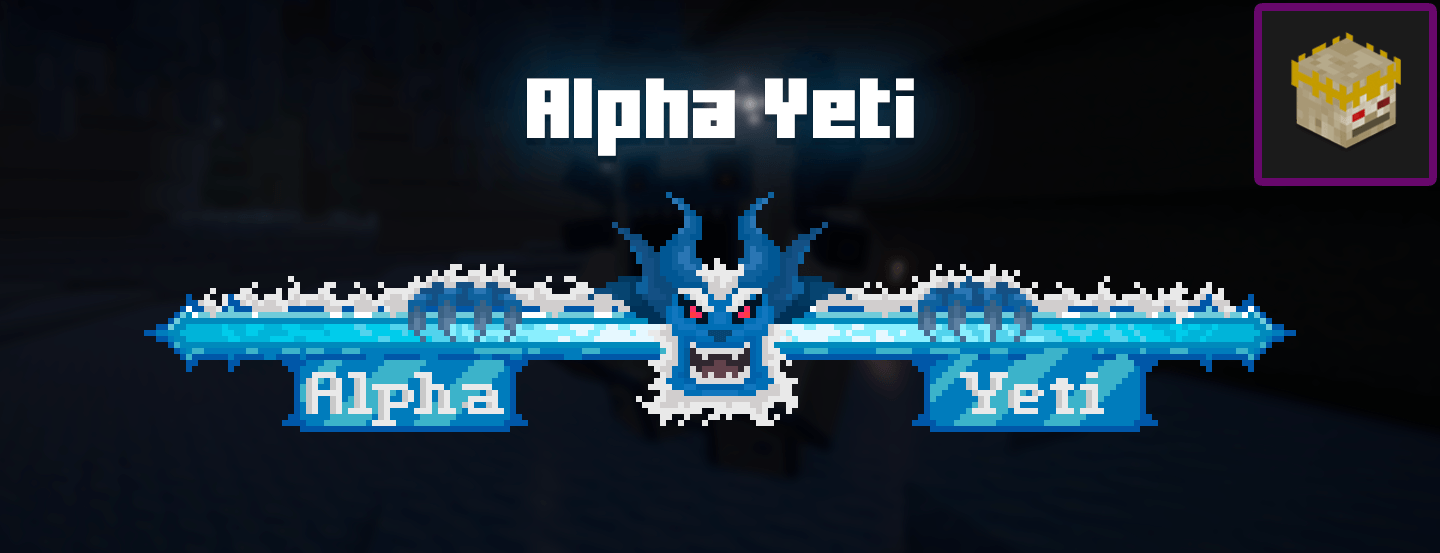
What you get
Why Enhanced Boss Bars?
Clearer health readout
Enhanced Boss Bars makes it easier to judge boss health at a glance by using distinct colors and segmented meters that stand out from the default UI.
Themed designs
Each boss gets a design that reflects its aesthetic, helping encounters feel more coherent and giving bosses a stronger visual identity.
Lightweight change
This pack targets only boss bars, so it has minimal impact on load times and pairs well with most other texture packs.
Good mod compatibility
Because it only alters UI textures, Enhanced Boss Bars usually works alongside gameplay mods, with conflicts limited to mods that replace boss HUDs.
Server friendly
Clients can install the pack locally without affecting server rules or mechanics, making it safe to use on most multiplayer servers.
Readable in combat
Design choices prioritize contrast and clarity, so bars remain legible during hectic fights or when particle effects are heavy.
Downloads
Get Enhanced Boss Bars
The 10 most recent Enhanced Boss Bars builds, direct mirror links, no ad redirects.
Install
How to install Enhanced Boss Bars
Vanilla route
- 1Download the Enhanced Boss Bars zip and keep it as a .zip file, do not extract it.
- 2Open Minecraft, go to Options, then Resource Packs, and click Open Pack Folder.
- 3Move the zip file into the resourcepacks folder that opened.
- 4Back in Minecraft, enable the pack from the resource packs list and move it to Selected.
- 5Restart Minecraft if textures do not update immediately.
Modded route (Vanilla)
- 1Install Fabric or Forge for your Minecraft version, Optifine is optional for extra effects.
- 2Place the Enhanced Boss Bars zip in the resourcepacks folder as with vanilla installs.
- 3Launch Minecraft with the Fabric or Forge profile and confirm the pack is enabled in Resource Packs.
- 4If using Optifine, check shader and texture settings to avoid conflicts with HUD rendering.
- 5Test in-game with your mods, disable other UI packs temporarily if you see conflicts.
◎ Compatibility
✓ Tested and confirmed working on Minecraft 26.1
We ran Enhanced Boss Bars on Minecraft 26.1 even though the pack was not officially built for this version. Texture packs typically stay compatible across nearby Minecraft releases, and this one runs as expected.
Troubleshooting
Common problems
Boss bar not changing
Ensure the pack is enabled in the Resource Packs menu and placed in the Selected list. Restart the game to force a texture reload.
Designs look stretched
Some UI scaling settings can distort textures, reset GUI scale to default or try a different resolution in video settings.
Conflicts with mod HUDs
Temporarily disable other UI resource packs or mods that modify boss bars to identify which resource is overriding the texture.
Pack not appearing
Verify the pack zip is in the correct resourcepacks folder for the active Minecraft instance, and check that the zip contains a pack.mcmeta file.
FAQ
Frequently asked questions
Which Minecraft versions does Enhanced Boss Bars support?+
The author lists compatibility across many versions, and users report it working on nearby releases as well. Texture packs often remain compatible with adjacent Minecraft versions even if they were not officially built for that specific release.
Will this pack hurt performance?+
No, because it changes a small set of UI textures, performance impact is minimal. Large texture packs or high resolution packs are the typical source of FPS drops.
Can I use this on Bedrock Edition?+
This pack is designed for Java Edition resource packs and will not install natively on Bedrock. Converting Java textures to Bedrock is possible but requires additional tools.
Do I need Optifine to use Enhanced Boss Bars?+
Optifine is not required for the textures to work, though it is optional for other graphical tweaks. Optifine can help with certain texture features but does not affect basic boss bar textures.
Will using this pack get me banned on servers?+
Local resource packs are client side and generally allowed, but server rules vary. This pack only changes visuals and does not modify gameplay, but check server policies to be sure.
What if a boss bar still looks wrong after installing?+
Try disabling other resource packs and mods to isolate the issue, then re-enable them one by one. Also restart Minecraft to ensure the new textures load correctly.
Ready to install?