Texture pack review
Eclectic Trove (Legendary Tooltips)
Eclectic Trove (Legendary Tooltips) latest build for Minecraft 1.19.1
Eclectic Trove (Legendary Tooltips) is a resource pack that adds over ten unique, themed borders for tooltips to use with the Legendary Tooltips mod.
Overview
In-depth
Eclectic Trove (Legendary Tooltips) is a focused resource pack that adds a collection of themed borders for item and block tooltips, designed to work with the Legendary Tooltips mod. It does not overhaul textures across the game, rather it supplies a set of decorative frames that change the look of tooltip boxes, giving each tooltip a distinct visual accent. The pack emphasizes variety, with more than ten border styles ranging from ornate filigree to rustic wooden frames, and each style carries a clear design language that suits different builds and inventories.
The pack was created by Grend_G and centers on tooltip presentation only, so you will not find changes to block or mob textures. Because of that focus, Eclectic Trove (Legendary Tooltips) is light to add and remove, and it plays nicely alongside larger resource packs that handle terrain, models, and UI elements. Many players use it to add personality to their inventories, roleplay setups, or server shops where item presentation matters.
Installation is straightforward for both vanilla and modded setups, provided you have the Legendary Tooltips mod installed. Place the pack in your resourcepacks folder and select it from Minecrafts resource pack screen, or load it alongside your mod loader of choice. For a broader selection of packs that alter presentation and interface elements, you can browse our main texture pack directory at TexturesPack browse for compatible additions and alternatives.
What to expect
Expect a small, single-purpose pack that excels at giving tooltips character. The borders are designed to be readable and not to obscure text, but some combinations with unusually large font settings or other UI mods may need tweaks. If you want other themed packs, check the themed category for more options at themed texture packs. Eclectic Trove (Legendary Tooltips) is best treated as a finishing touch rather than a full visual overhaul.
Gallery
Screenshots
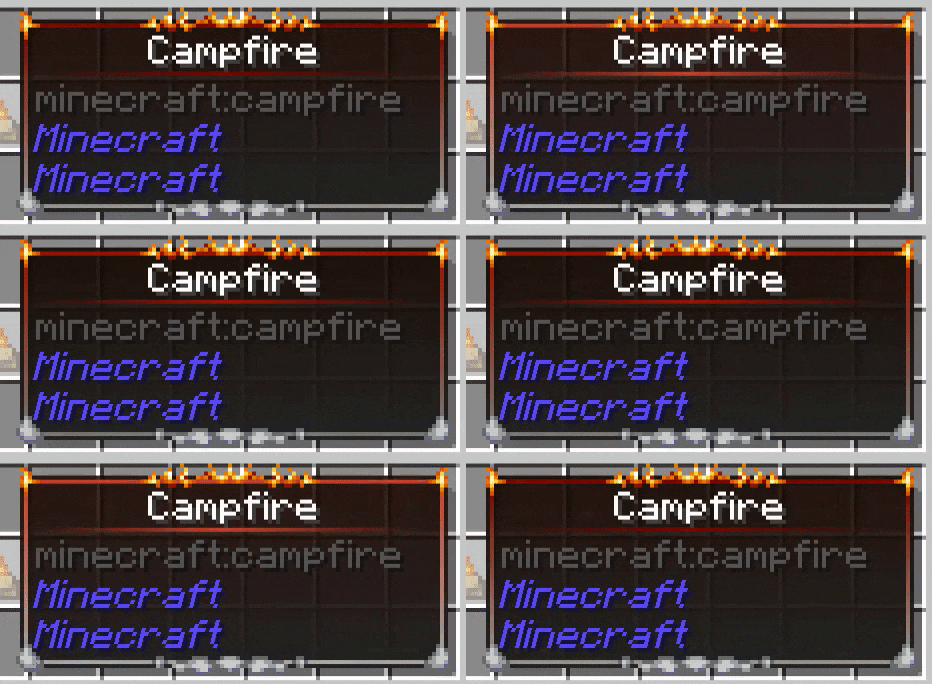
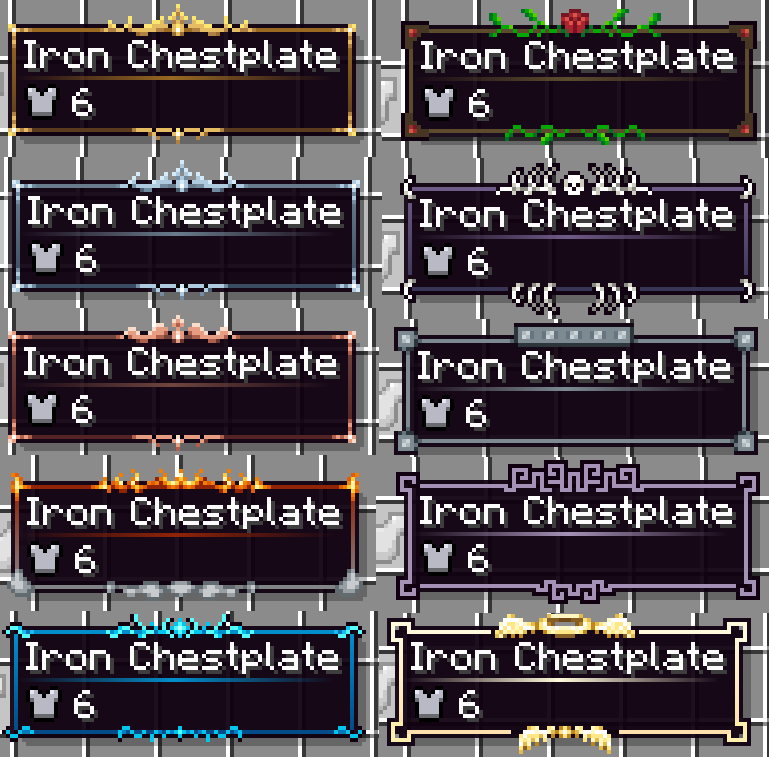
Eclectic Trove (Legendary Tooltips) in game, captured across biomes and lighting conditions.
What you get
Why Eclectic Trove (Legendary Tooltips)?
Distinct Tooltip Styles
Provides over ten themed borders so your inventory and item displays feel more personal and varied without changing gameplay.
Lightweight Addition
Because it focuses only on tooltips, the pack adds very little overhead and can be stacked with full resource packs with minimal conflicts.
Easy Compatibility
Designed to work with Legendary Tooltips, it generally mixes well with other UI and texture packs for straightforward use.
Designer Variety
Includes ornate, rustic, and minimalist borders, offering visual options that fit different builds and roleplay themes.
Quick Install
Simple drag and drop installation into the resourcepacks folder, with clear behavior in the in-game resource menu.
Noninvasive Change
Does not alter block or mob textures, so it will not upset established art direction from other packs you use.
Downloads
Get Eclectic Trove (Legendary Tooltips)
The 10 most recent Eclectic Trove (Legendary Tooltips) builds, direct mirror links, no ad redirects.
Install
How to install Eclectic Trove (Legendary Tooltips)
Vanilla route
- 1Download the pack and open your Minecraft resourcepacks folder.
- 2Move the Eclectic Trove (Legendary Tooltips) zip or folder into the resourcepacks folder.
- 3Launch Minecraft and open Options, Resource Packs to view available packs.
- 4Enable the Eclectic Trove (Legendary Tooltips) pack and click Done to apply it.
- 5Ensure Legendary Tooltips mod is installed on client for borders to display correctly.
Modded route (Vanilla)
- 1Install your chosen mod loader, either Fabric or Forge, and launch once to create folders.
- 2Optional, install Optifine for extra GUI controls, though it is not required.
- 3Place the Eclectic Trove (Legendary Tooltips) pack into the resourcepacks folder.
- 4Run Minecraft with Fabric or Forge, then enable the pack in the Resource Packs menu.
- 5Verify Legendary Tooltips mod is active on the same client to use the borders.
◎ Compatibility
✓ Tested and confirmed working on Minecraft 1.19.1
We ran Eclectic Trove (Legendary Tooltips) on Minecraft 1.19.1 even though the pack was not officially built for this version. Texture packs typically stay compatible across nearby Minecraft releases, and this one runs as expected.
Troubleshooting
Common problems
Borders not appearing
Confirm Legendary Tooltips mod is installed and active on the client, and that the pack is enabled in Minecrafts resource pack menu.
Tooltip text clipped or overlapped
Lower your GUI scale or default font size in settings, or disable conflicting UI mods that change tooltip layout.
Pack shows at wrong priority
Move Eclectic Trove (Legendary Tooltips) higher in the resource pack list so its tooltip assets override other packs.
Visual glitches with other packs
Temporarily disable other resource packs to find the conflict, then use only compatible packs or adjust pack order.
FAQ
Frequently asked questions
Which Minecraft versions does this pack support?+
The author lists several supported versions around 1.12 through 1.20 series. Texture packs generally remain compatible with nearby Minecraft versions even when they were not officially built for that release.
Will this pack affect game performance?+
Because it only changes tooltip borders, performance impact is minimal. Large modpacks or heavy shader setups may influence overall FPS separately.
Can I use this with Bedrock Edition?+
This pack is made for Java resource pack structure and Legendary Tooltips, so it will not work natively on Bedrock without conversion tools.
Do I need Optifine to use Eclectic Trove (Legendary Tooltips)?+
Optifine is not required for the pack to function, though optional Optifine features can help with GUI and font controls for better appearance.
Is there any risk using this pack on servers?+
Using client-side resource packs that only alter tooltips presents minimal server risk, but always follow server rules about custom assets.
Tooltips look broken after a crash, how to fix?+
Reload resource packs from the menu or restart the client to reapply assets. If the issue persists, disable other packs to isolate the problem.
Ready to install?