Texture pack review
Updated Aquaculture
Updated Aquaculture latest build for Minecraft 1.12.1
Updated Aquaculture fixes the outdated visuals of the Aquaculture 2 mod, bringing the items and fishing gear in line with the current Minecraft art style.
Overview
In-depth
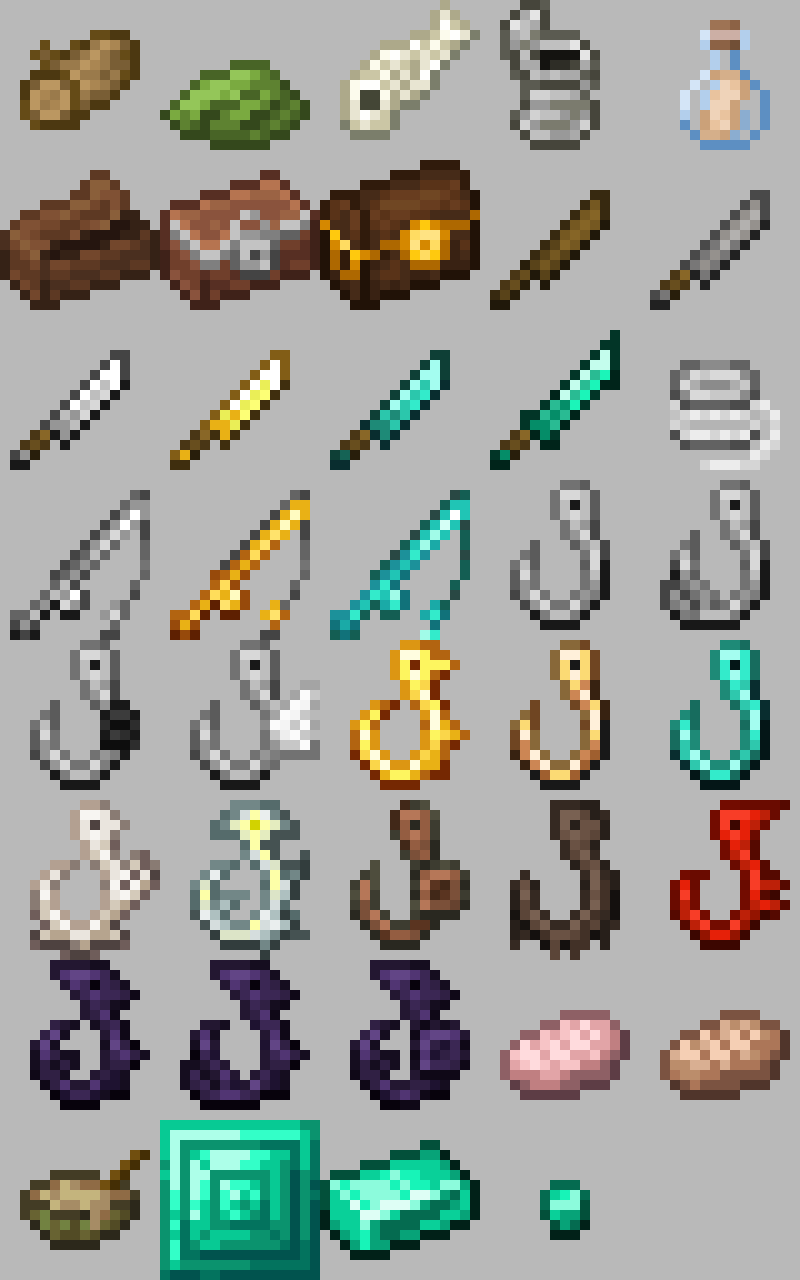
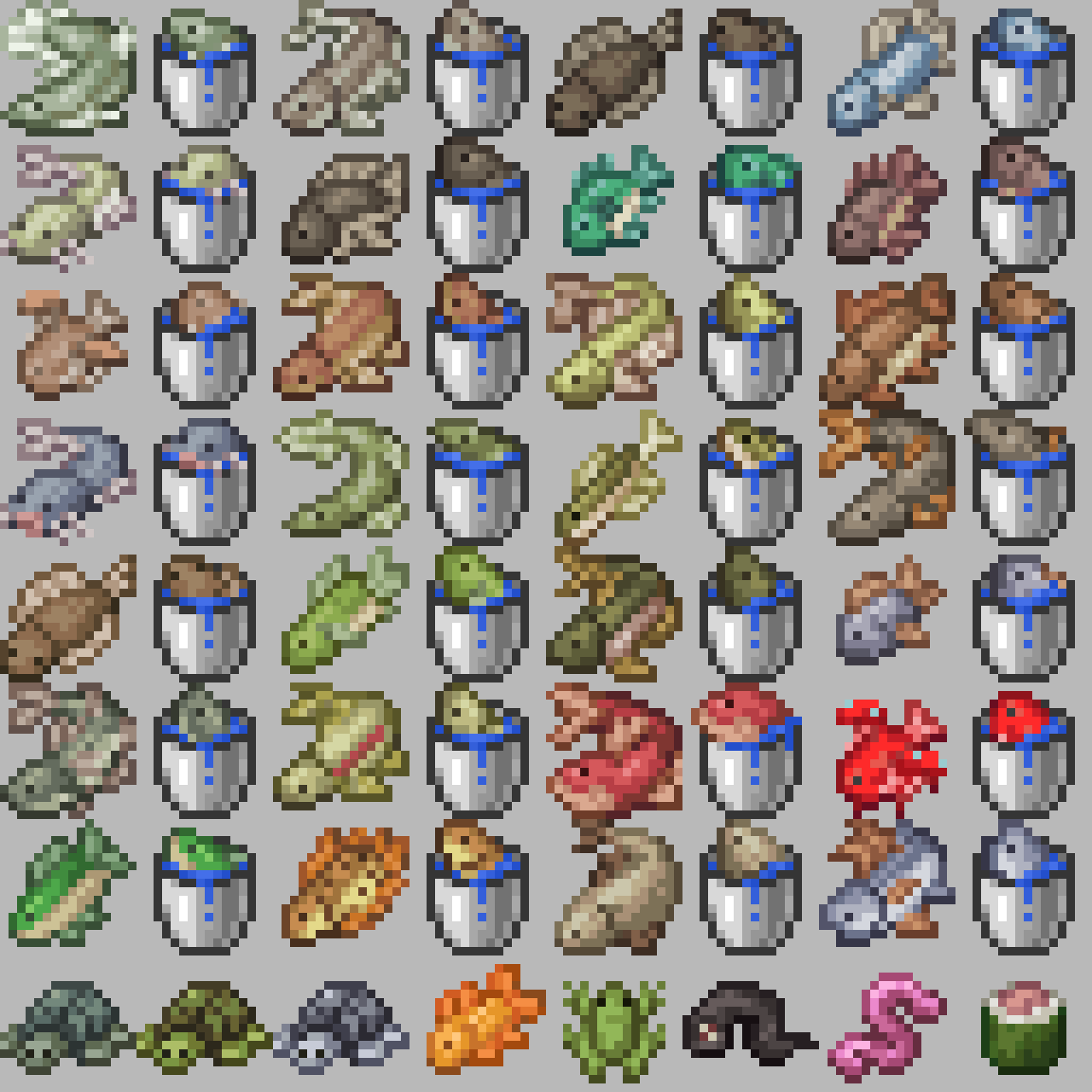
Updated Aquaculture is a texture pack that refreshes the look of Aquaculture 2 items and fishing gear to better match modern Minecraft art. It focuses on item sprites and small UI pieces rather than a total world makeover, so familiar assets remain recognizable while receiving cleaner lines and color palettes closer to current vanilla textures.
The pack was created to address a mismatch between older mod assets and newer Minecraft releases, and it shows in the way fish, rods, bait, and loot icons are reworked. Colors are desaturated in places where the original felt too bright, and some silhouettes have been adjusted to read clearly at inventory sizes. That makes the pack useful for players who run Aquaculture 2 alongside more recent resource packs, since those newer packs tend to expect similar contrast and edge treatment.
Installation is straightforward for a player who uses standard resource pack handling. You can browse similar packs and alternatives on our main collection page at https://texturespack.com/browse/texture-packs to compare approaches. The pack does not attempt to replace block art or world textures, so it pairs well with full overhaul packs when you want consistent visuals for items only.
Performance impact is minimal, because Updated Aquaculture targets item textures and does not add high resolution or animated assets. It should work fine on low to mid range machines without adding extra GPU or memory overhead beyond the standard resource pack load. If you run a modded client you may want to use an asset loader like Fabric or Forge to manage compatibility and keep your mod textures organized.
Who this pack is for
Use Updated Aquaculture when you care about cohesive item visuals between Aquaculture 2 and modern vanilla textures, but do not want a full resource pack swap. It is especially handy for modpacks that include fishing expansions and for servers that want consistent item icons in shops or GUIs. For more themed packs see our themed category at https://texturespack.com/browse/texture-packs?category=themed for additional options that match different mod styles.
Gallery
Screenshots
Updated Aquaculture in game, captured across biomes and lighting conditions.
What you get
Why Updated Aquaculture?
Cleaner item icons
Updated Aquaculture refines silhouettes and edges so fish and gear read clearly in inventories and tooltips.
Vanilla friendly
Colors and contrast are adjusted to sit alongside current vanilla textures without feeling out of place.
Low performance cost
The pack focuses on item sprites only, so it adds negligible GPU or memory overhead.
Easy pairing
Pairs well with full resource packs because it does not replace world or block textures.
Mod compatibility
Designed to align with Aquaculture 2 art, reducing visual clashes when running that mod.
Simple installation
No special loaders required for vanilla clients, install like any other resource pack.
Downloads
Get Updated Aquaculture
The 3 most recent Updated Aquaculture builds, direct mirror links, no ad redirects.
Install
How to install Updated Aquaculture
Vanilla route
- 1Download the Updated Aquaculture zip from the pack page on texturespack.com.
- 2Open Minecraft, go to Options then Resource Packs and click Open Pack Folder.
- 3Move the downloaded zip into the opened resourcepacks folder.
- 4Select the pack in Minecraft and click Done to apply it.
Modded route (Vanilla)
- 1Place the Updated Aquaculture zip into the resourcepacks folder of your Fabric or Forge profile.
- 2Run Minecraft with Fabric or Forge, optional Optifine can be used for extra shader support.
- 3Enable the pack from Options then Resource Packs and move it to the selected list.
- 4Restart the client if textures do not update immediately.
◎ Compatibility
✓ Tested and confirmed working on Minecraft 1.12.1
We ran Updated Aquaculture on Minecraft 1.12.1 even though the pack was not officially built for this version. Texture packs typically stay compatible across nearby Minecraft releases, and this one runs as expected.
Troubleshooting
Common problems
Textures look unchanged
Make sure the pack is enabled in the Resource Packs menu and is above other packs that might override it, then restart Minecraft.
Items appear warped
Check you are using a compatible Minecraft version and that no other resource pack is resizing item sprites; disable other packs to test.
Pack not visible in folder
Confirm the file is a zip and not extracted into a subfolder; rezip the contents so the pack root contains pack.mcmeta and assets.
Conflicts with mod textures
Use a loader like Fabric or Forge to manage mod assets, and adjust pack order so Updated Aquaculture takes priority for item textures.
FAQ
Frequently asked questions
Which Minecraft versions does Updated Aquaculture support?+
The pack lists support for many older and newer versions; check the pack page for specifics. Texture packs generally remain compatible with nearby Minecraft versions even when they were not officially built for that release.
Will this pack affect game performance?+
No significant performance hit is expected because it only replaces item textures, which are low overhead. Performance can vary by system and other active packs.
Can I use this on Bedrock Edition?+
This pack is built for Java style resource packs and is not formatted for Bedrock, so it will not work directly on Bedrock without conversion tools.
Do I need Optifine to use this pack?+
Optifine is not required for Updated Aquaculture. Optifine can be used optionally for additional texture processing or shader compatibility.
Is it safe to use on a multiplayer server?+
Using the pack client side is safe and will not affect server files, but server resource packs are separate; always follow the server rules before forcing or sharing packs.
Textures appear wrong after mod updates, how do I fix it?+
Try updating or reinstalling the pack and verify mod versions, disable other resource packs, and consider using Fabric or Forge to better handle mod asset loading.
Ready to install?